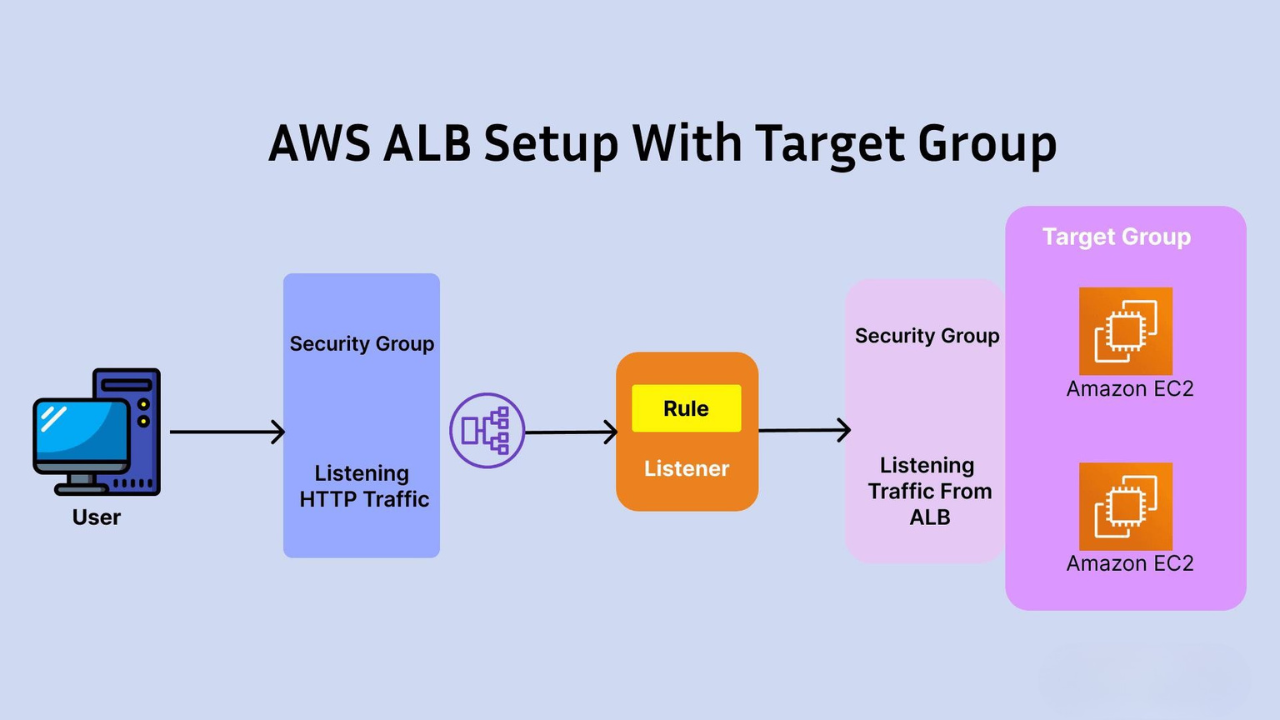
Flow:User → ELB (ALB Listener) → Target Group → EC2 Instances (in different AZs) 📌 Introduction In this guide, you will learn how to: We will use: 🔹 Step 1: Launch EC2 Instances (in Different AZs) 🛠️ Create First Instance (AZ-1) 👉 User Data: #!/bin/bashyum update -yyum install -y httpdsystemctl enable httpdsystemctl start httpdecho “Server 1 – AZ1 Working” > /var/www/html/index.html 🛠️ Create Second Instance (AZ-2) Repeat same steps: 👉
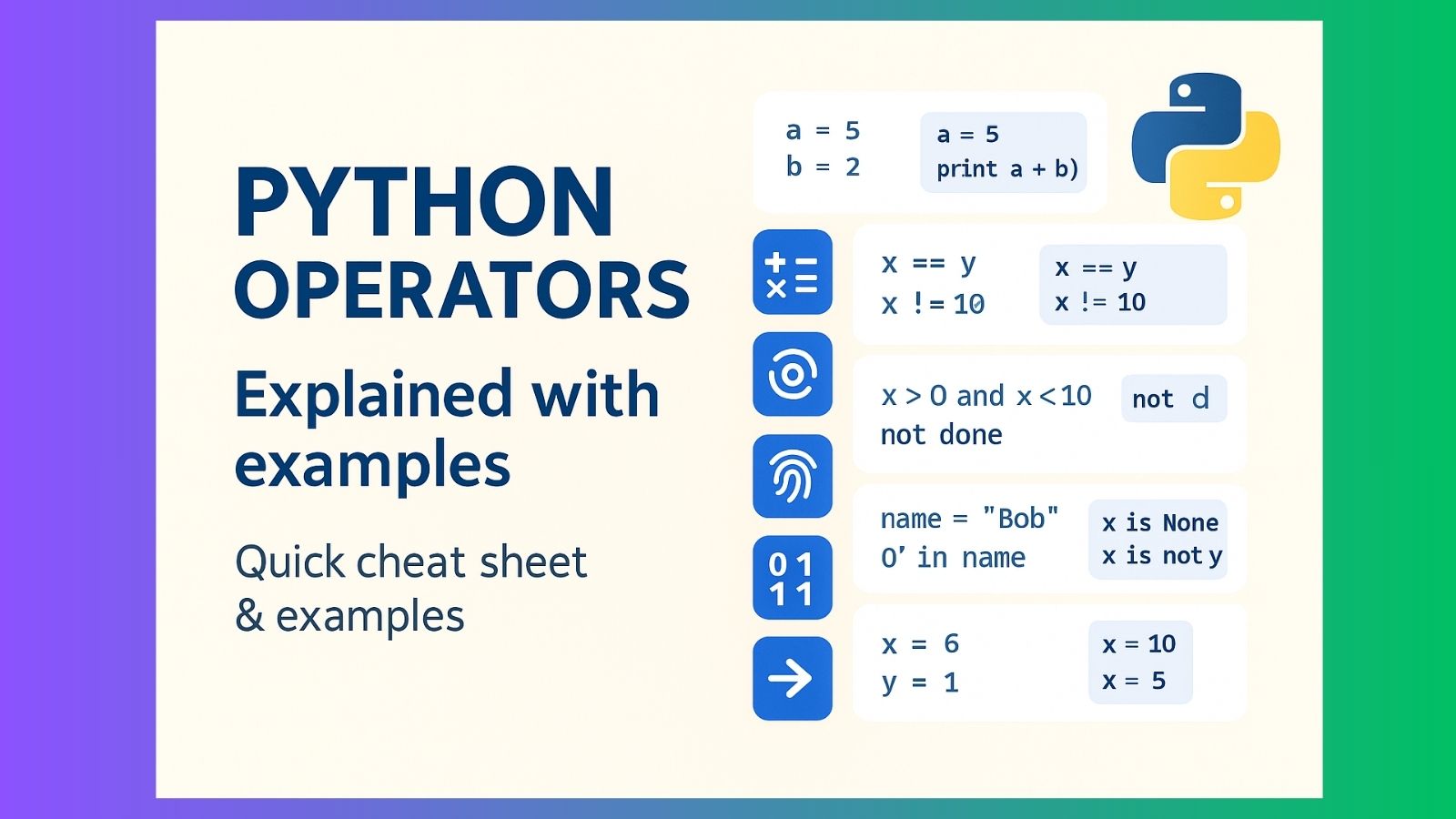
Operators perform operations on variables and values. Python groups them into several types — below each type I give a short explanation plus runnable examples. 1. Arithmetic operators Used with numeric values for basic math. 2. Assignment operators Used to assign values to variables; augmented forms modify the variable in place 3. Comparison operators Compare two values and return True or False. 4. Logical operators Combine boolean expressions: and, or,
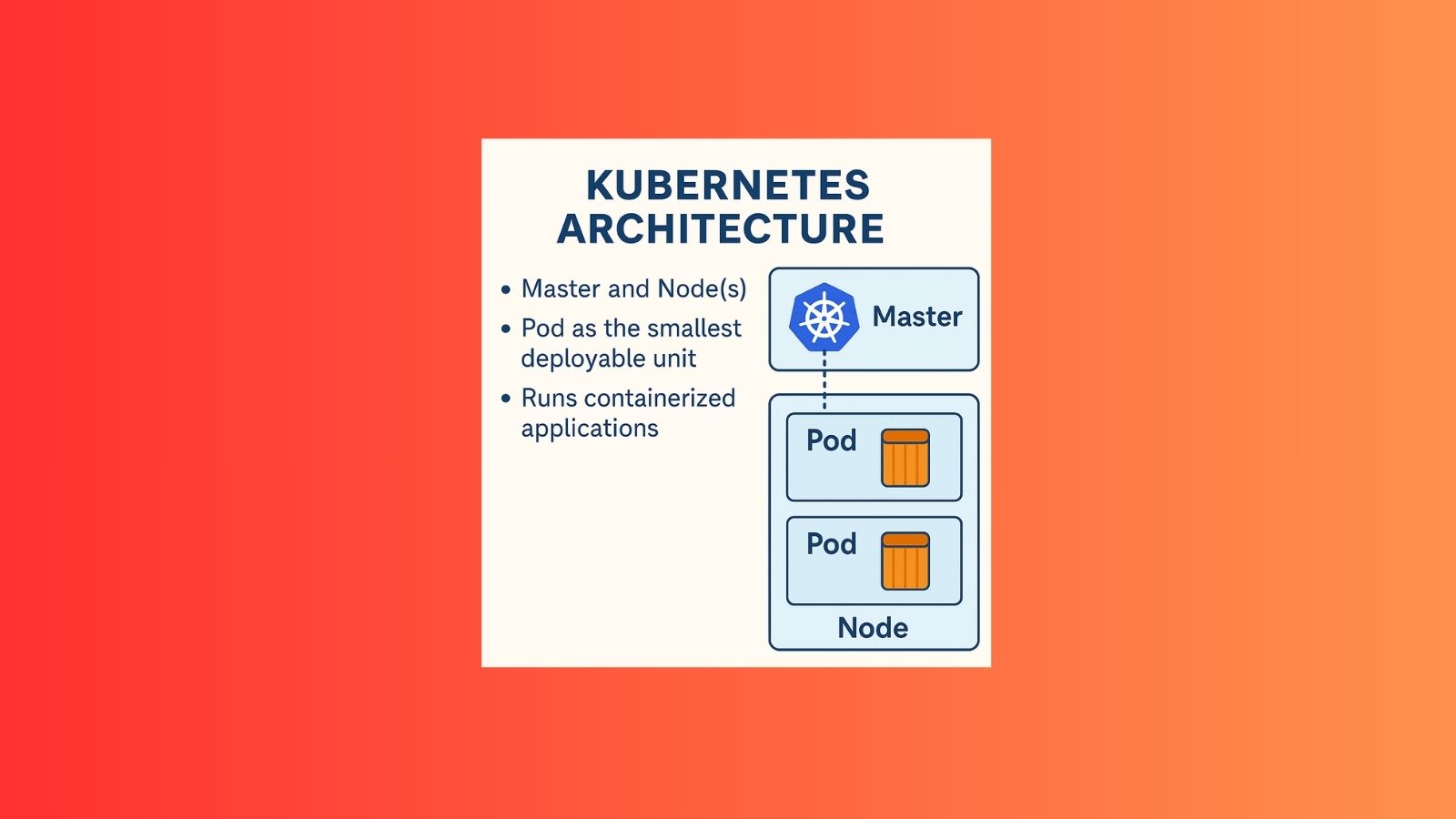
Kubernetes (often abbreviated as K8s) is an open-source container orchestration system for automating the deployment, scaling, and management of containerized applications. 🔹 Key Points about Kubernetes: 🔹 Why is Kubernetes important? ✅ In simple words:Kubernetes is like a traffic controller and caretaker for containers. It makes sure your applications always run smoothly, scale when needed, and recover automatically if something goes wrong. 🔹 Main Components of Kubernetes Architecture 1. Master
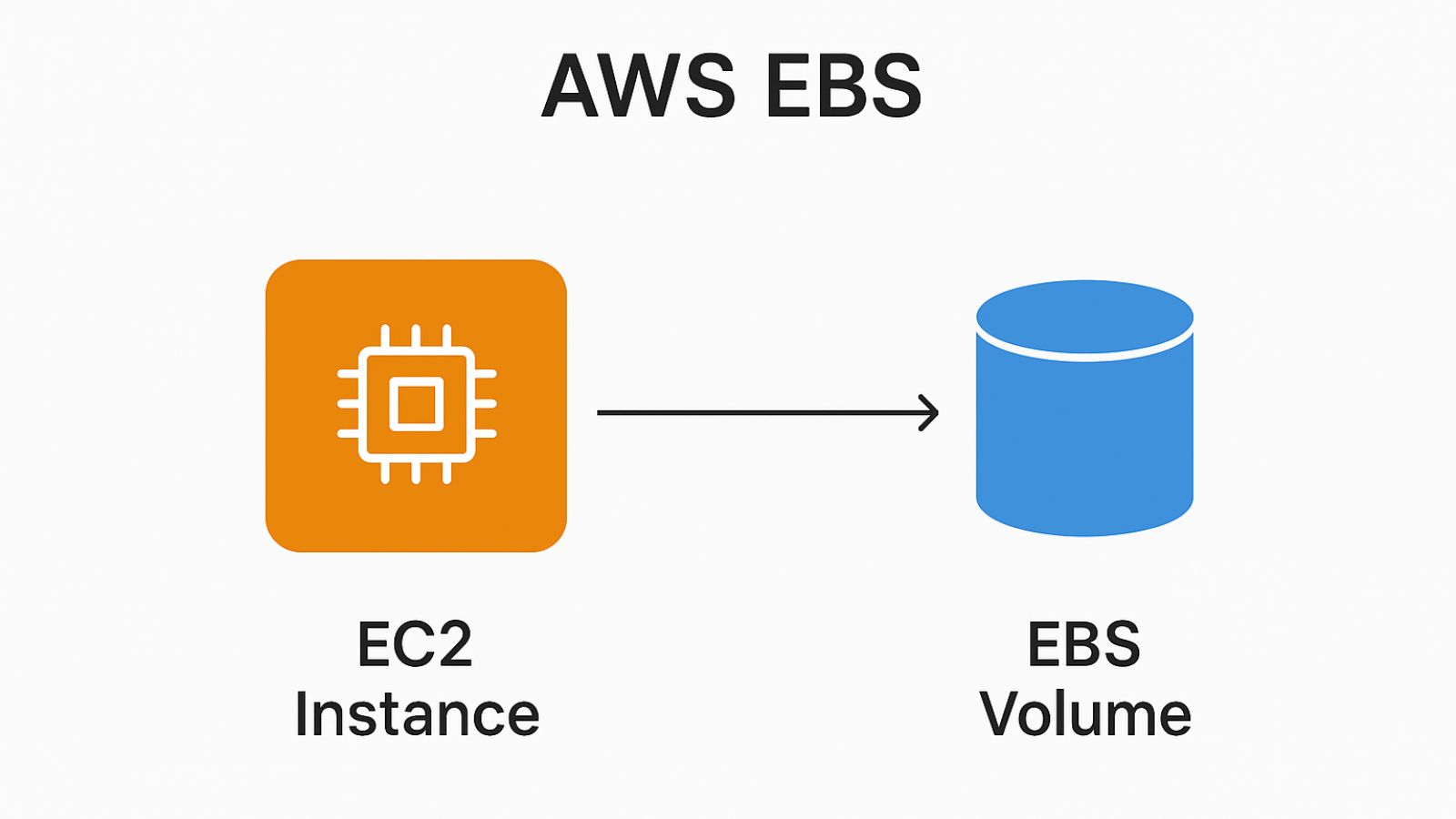
EBS is like a hard drive or SSD for your EC2 instances in the cloud. Key Points: Common Use Cases: 👉 In short:EBS = Durable, scalable, and secure storage for EC2 instances. Types of Amazon EBS volumes.AWS offers different EBS volume types based on performance and cost. Great 👍 Let’s go through the types of Amazon EBS volumes.AWS offers different EBS volume types based on performance and cost. 1. General
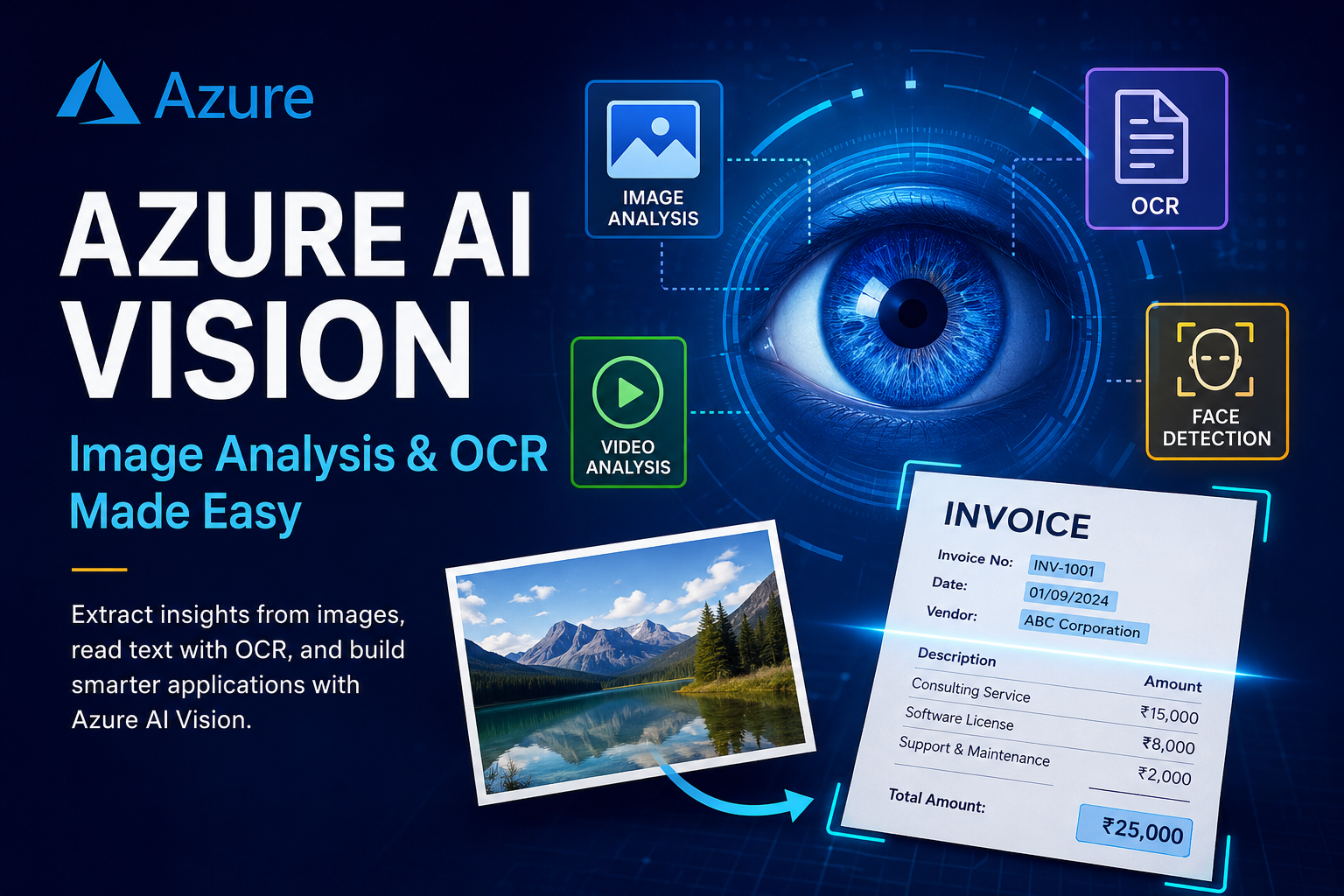
Meta Description: Learn what Azure AI Vision is, how it works, and how businesses use image analysis and OCR to extract useful information from images using Microsoft Azure. Suggested URL Slug: azure-ai-vision-image-analysis-ocr-guide Tags: Azure AI, Azure AI Vision, Microsoft Azure, Computer Vision, OCR, Image Analysis, Artificial Intelligence, Cloud Computing, Azure AI Services, Generative AI Introduction Artificial Intelligence is increasingly being used to understand images, documents, videos, and other visual information.
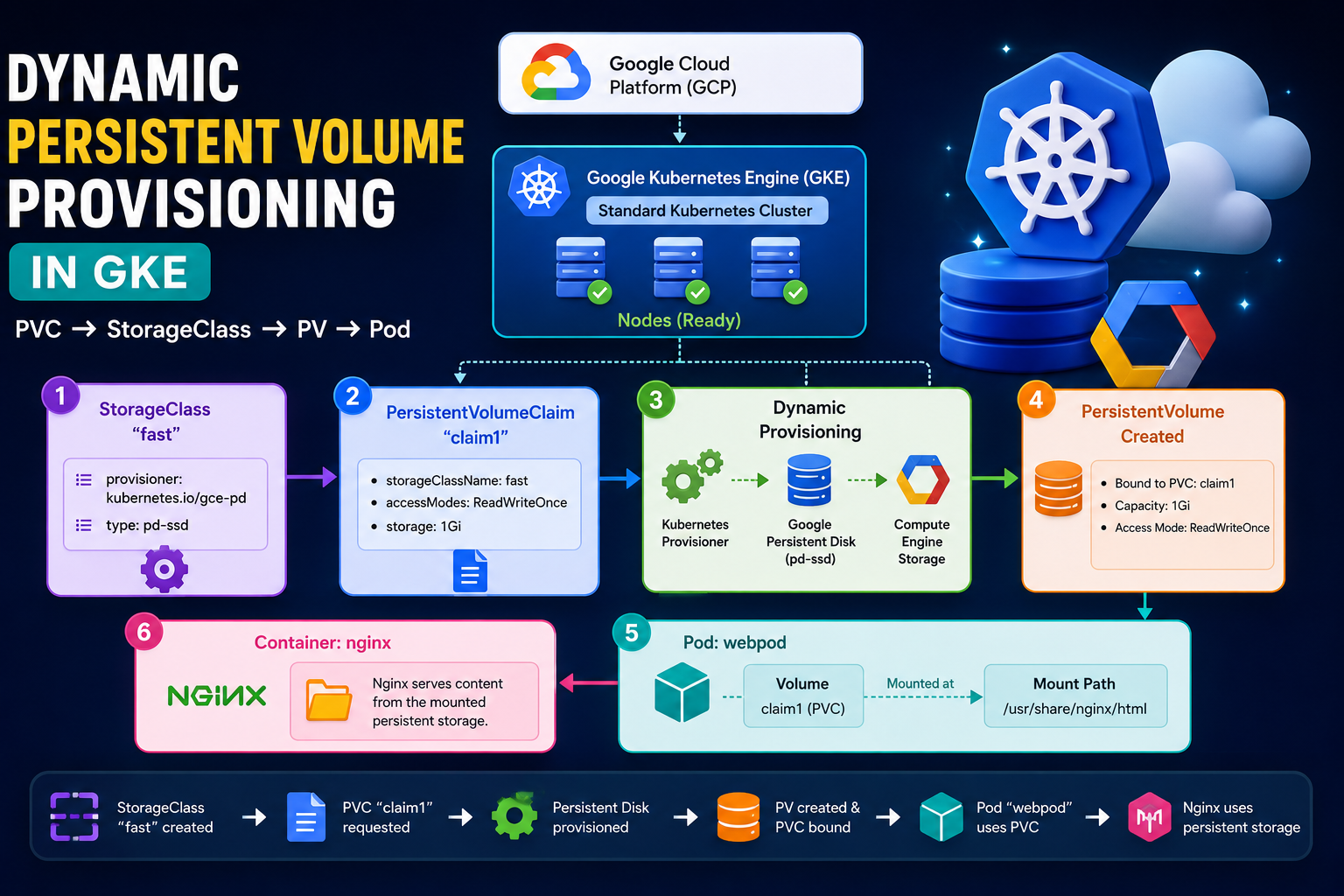
In this practical exercise, I worked with Google Cloud Platform (GCP), Google Kubernetes Engine (GKE), Kubernetes StorageClass, PersistentVolume (PV), PersistentVolumeClaim (PVC), and Pod storage. The main goal was to understand how Kubernetes can dynamically create persistent storage and attach that storage to a Pod. 🚀 Architecture The complete flow of this practical is: 1. Create a GKE Standard Cluster First, I created a Standard GKE cluster in Google Cloud. After
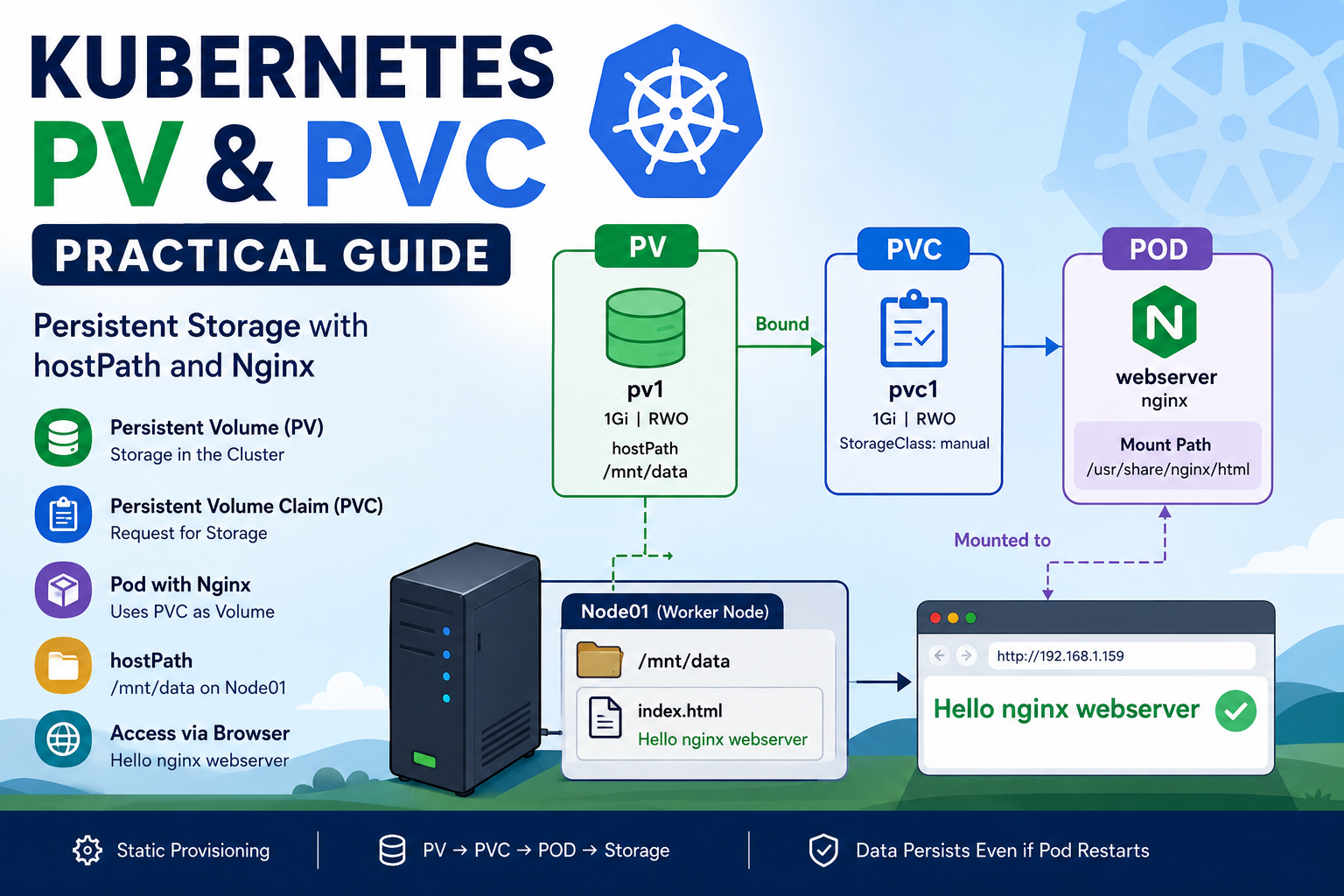
Kubernetes applications often need persistent storage to keep data even when containers restart or are recreated. Kubernetes provides Persistent Volumes (PV) and Persistent Volume Claims (PVC) to manage this storage. In this practical lab, we will create a PersistentVolume, create a PersistentVolumeClaim, attach the PVC to an Nginx Pod, and use a node’s /mnt/data directory as persistent storage through hostPath. What You Will Learn In this practical, we will understand:
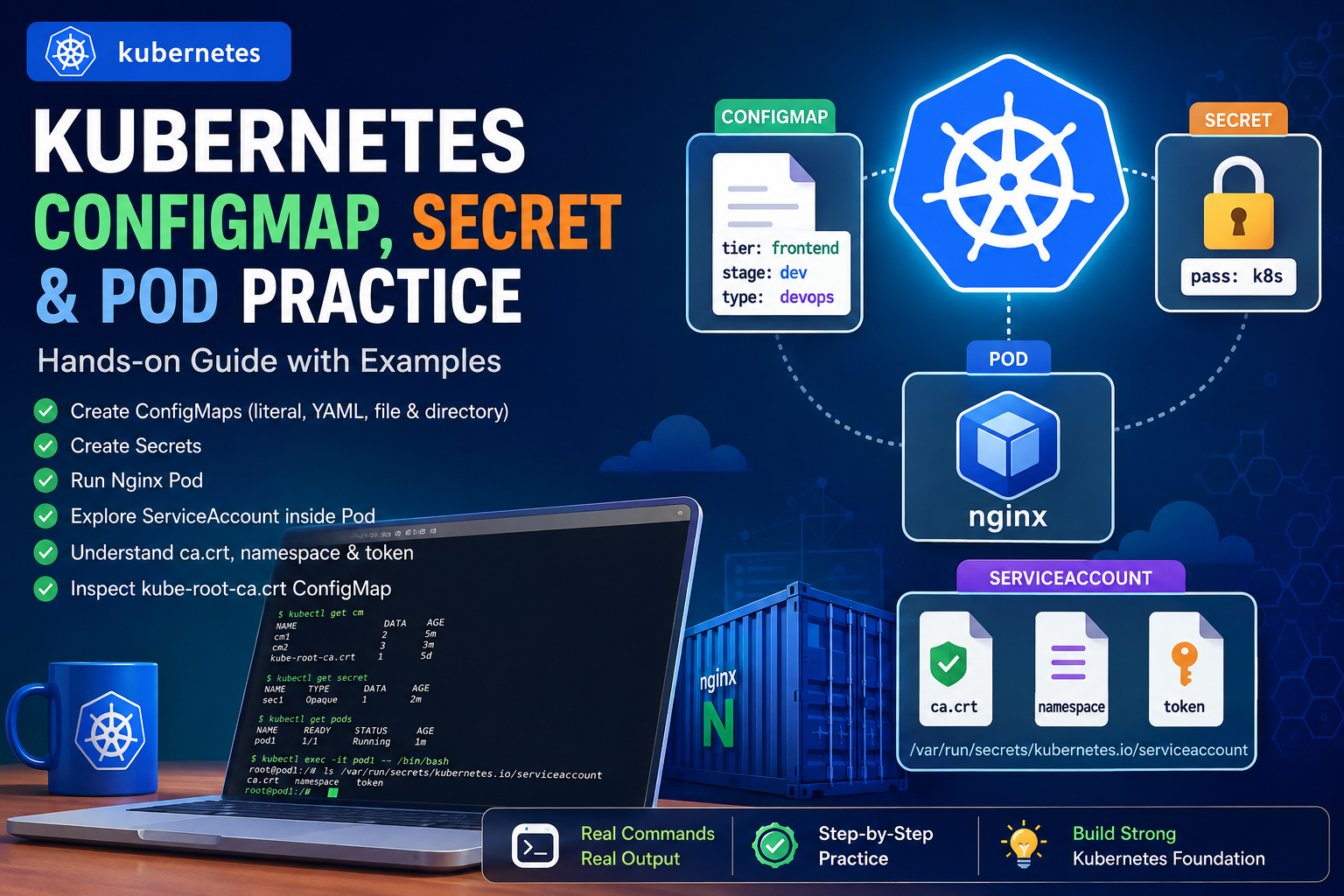
Kubernetes provides several powerful mechanisms for managing application configuration, sensitive information, containers, and access to the Kubernetes API. In this hands-on practice, I worked through: This article documents the complete workflow step by step. 1. Checking Existing ConfigMaps I started by checking the ConfigMaps already available in the namespace. Flow A ConfigMap is used to store non-sensitive configuration data separately from application code. 2. Creating a ConfigMap with Literal Values
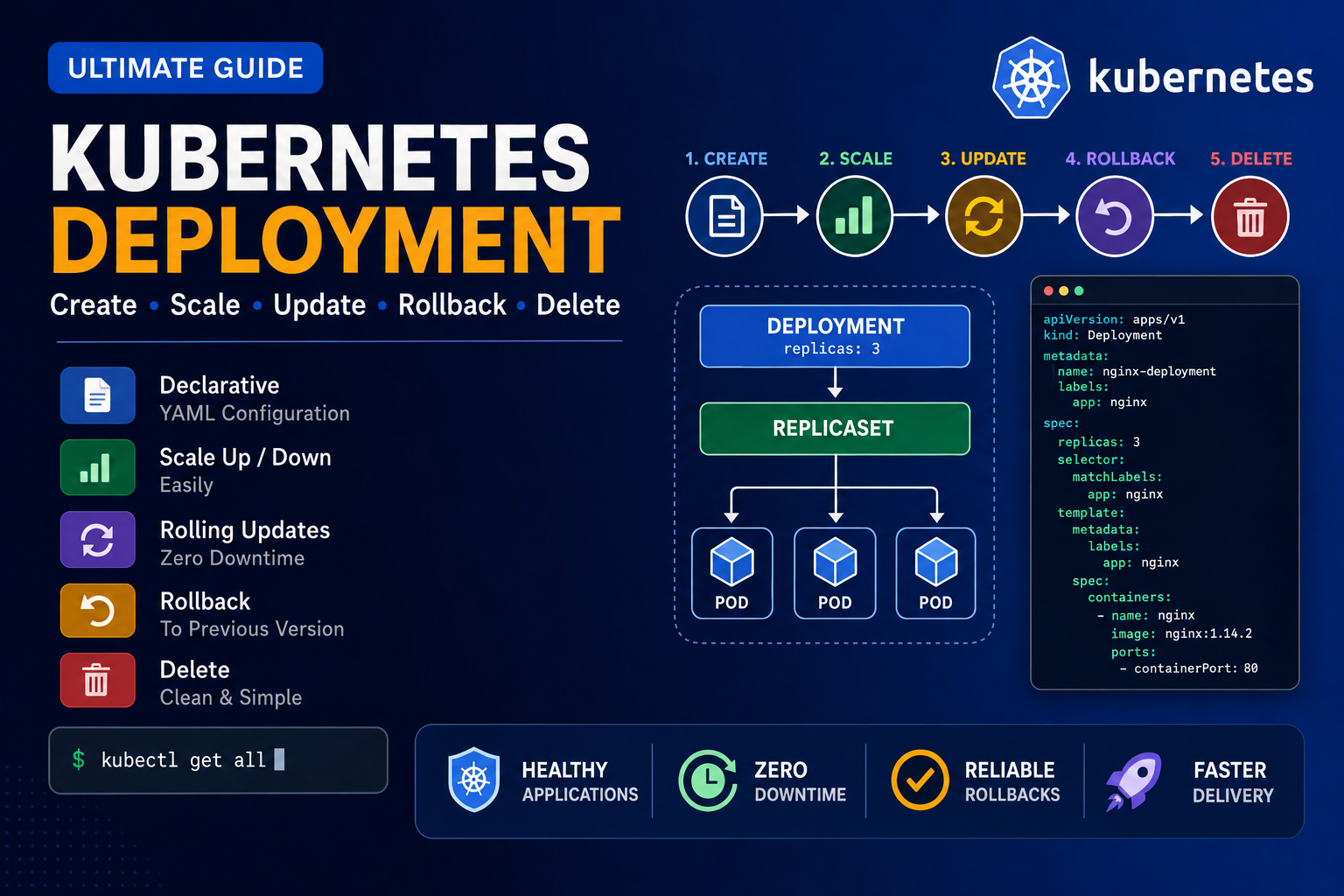
Below is the clean and correct command sequence for practicing Kubernetes Deployment, Scaling, Rolling Update, Rollout History, and Rollback. 1. Create a Deployment YAML file Use this YAML: Save and exit: 2. Create the Deployment Check the Deployment: Watch the Deployment: Press: to stop watching. 3. Check all resources Check Pods: Check ReplicaSets: 4. Learn kubectl create deployment Display help: Create another Deployment: Check all Deployments: Check only app1: 5.
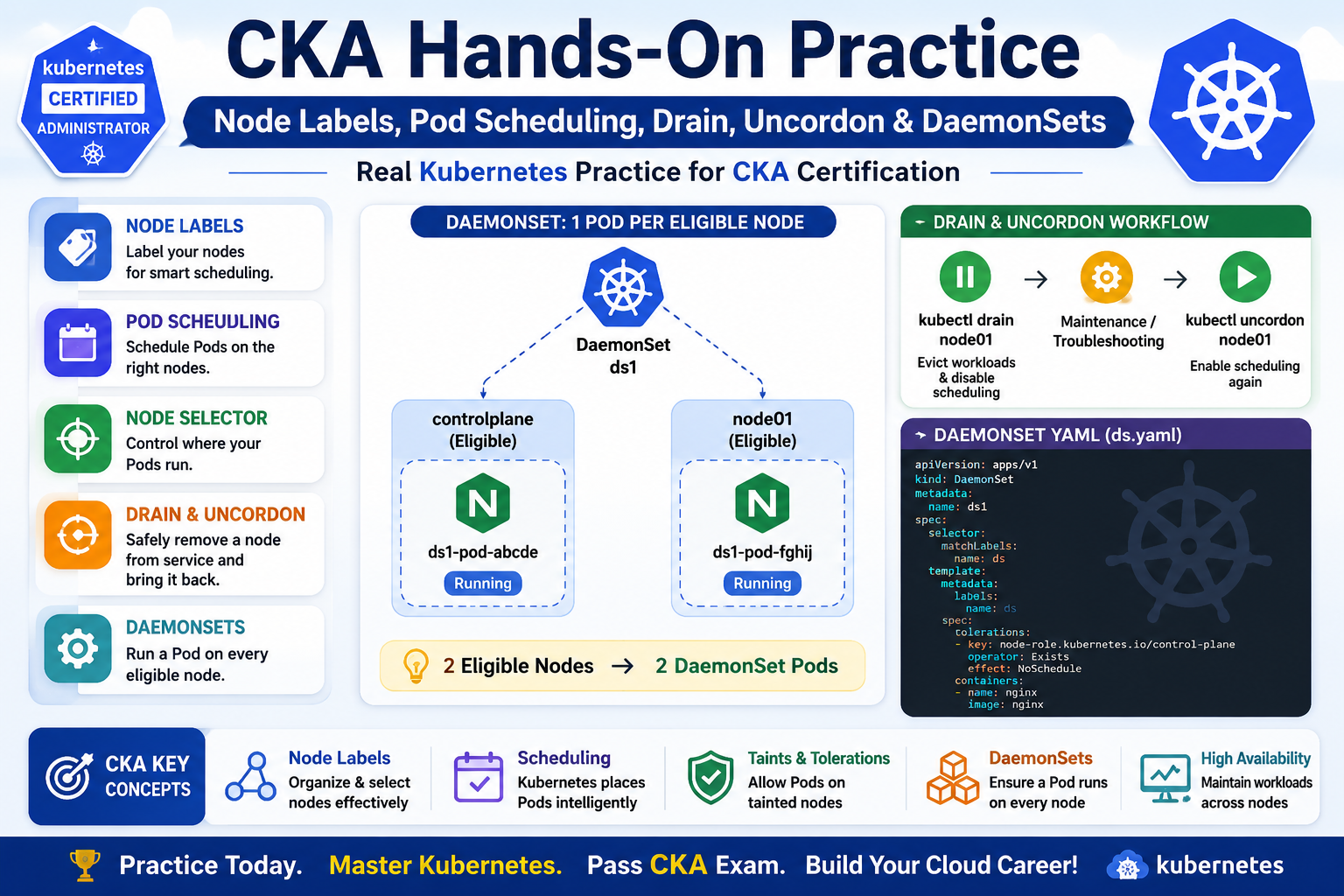
The main topics I practiced were: 1. Checking Kubernetes Nodes I started by checking the nodes in the cluster: kubectl get nodes Example: NAME STATUS ROLES VERSIONcontrolplane Ready control-plane v1.35.1node01 Ready <none> v1.35.1 My practice cluster contains two nodes: controlplanenode01 Both nodes were in the Ready state. 2. Working with Node Labels Next, I practiced Kubernetes node labels. First, I checked the existing labels: kubectl get nodes –show-labels Then I