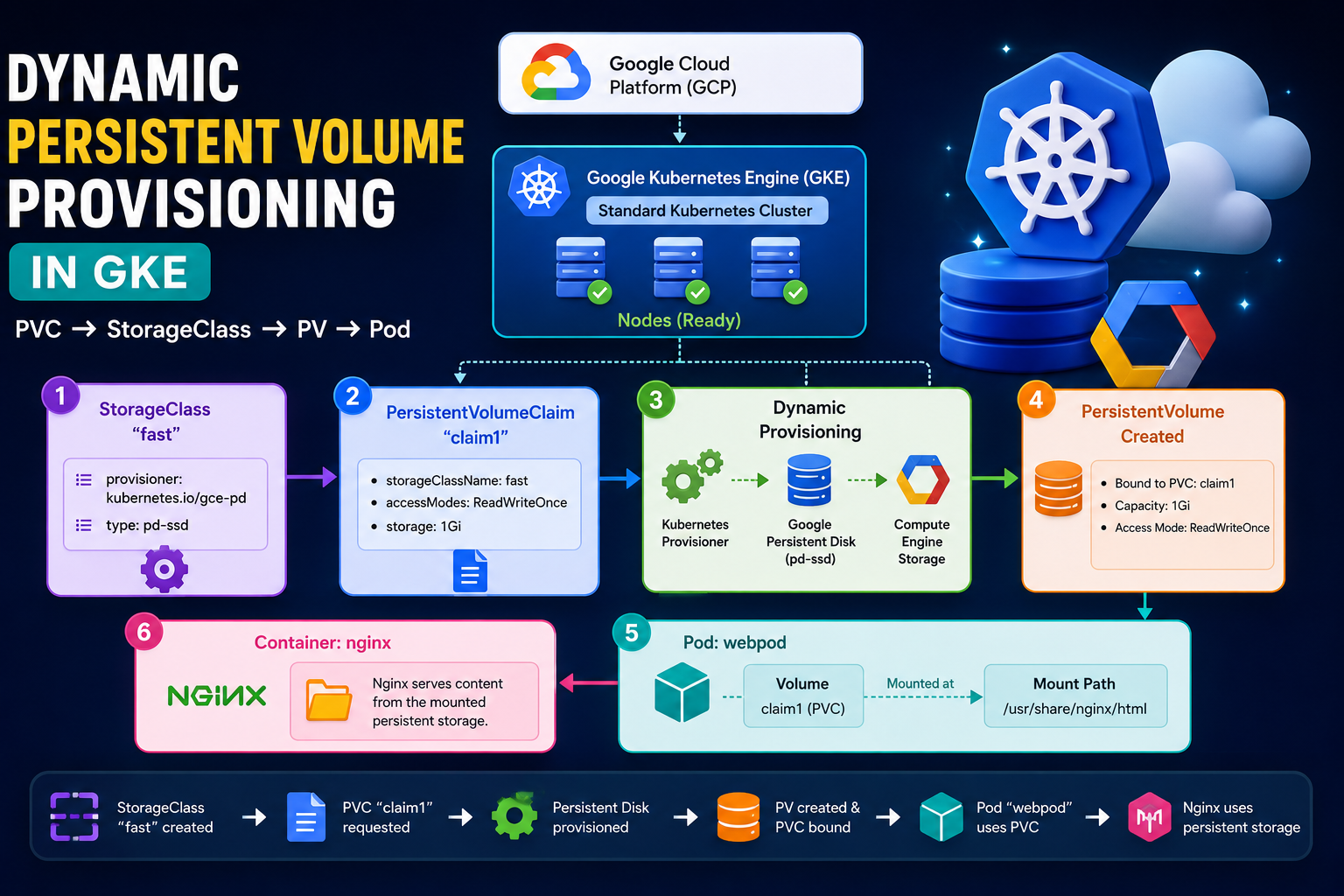
In this practical exercise, I worked with Google Cloud Platform (GCP), Google Kubernetes Engine (GKE), Kubernetes StorageClass, PersistentVolume (PV), PersistentVolumeClaim (PVC), and Pod storage. The main goal was to understand how Kubernetes can dynamically create persistent storage and attach that storage to a Pod. 🚀 Architecture The complete flow of this practical is: 1. Create a GKE Standard Cluster First, I created a Standard GKE cluster in Google Cloud. After
Tag: Google Cloud
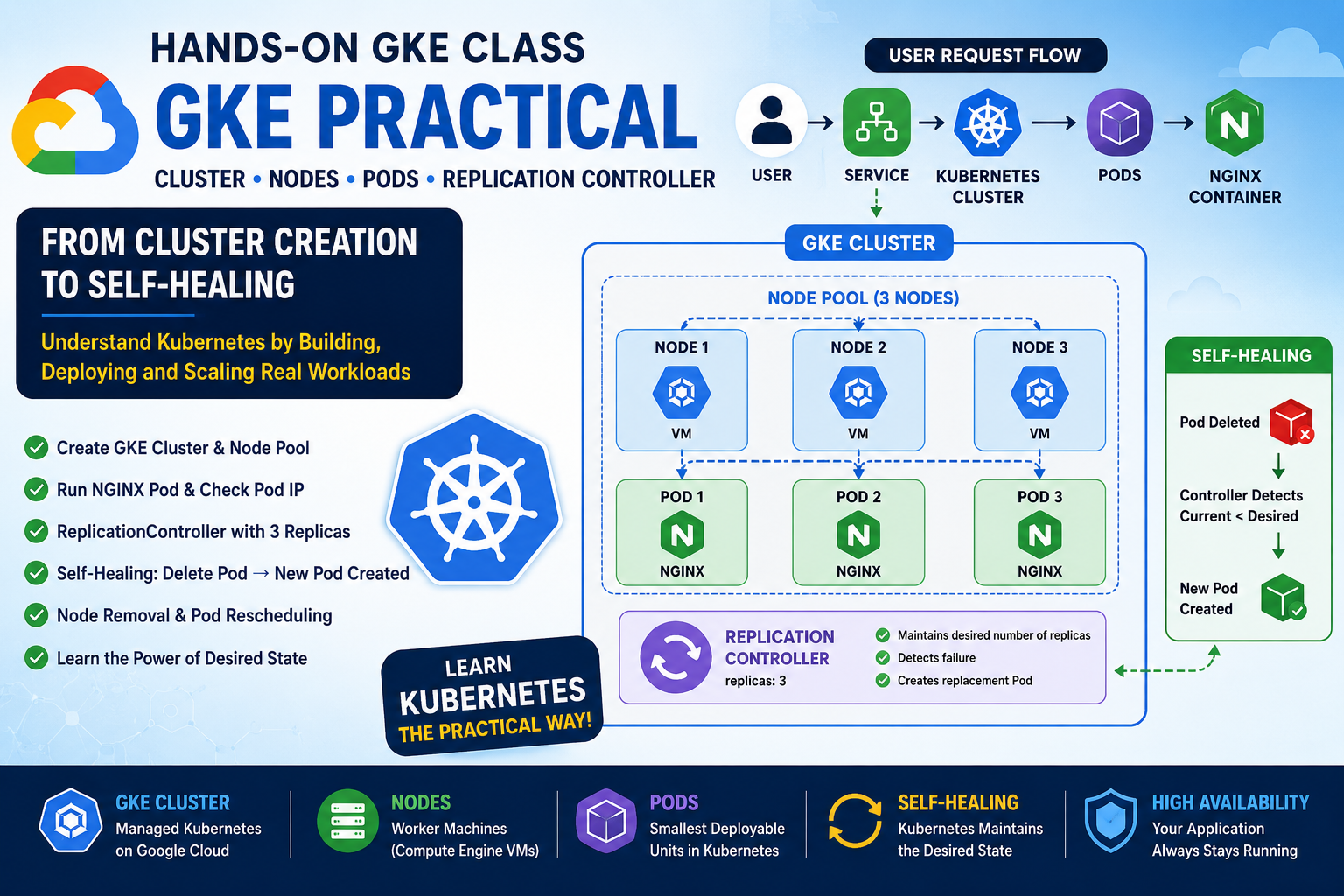
Google Kubernetes Engine (GKE) provides a managed Kubernetes environment on Google Cloud. In this hands-on class, I created a GKE Standard cluster, explored its nodes and underlying Compute Engine VMs, deployed an NGINX Pod, created a ReplicationController, tested self-healing, and finally simulated node removal. This practical exercise helped me understand an important Kubernetes principle: Kubernetes continuously works to maintain the desired state of our applications. 1. What is a Kubernetes
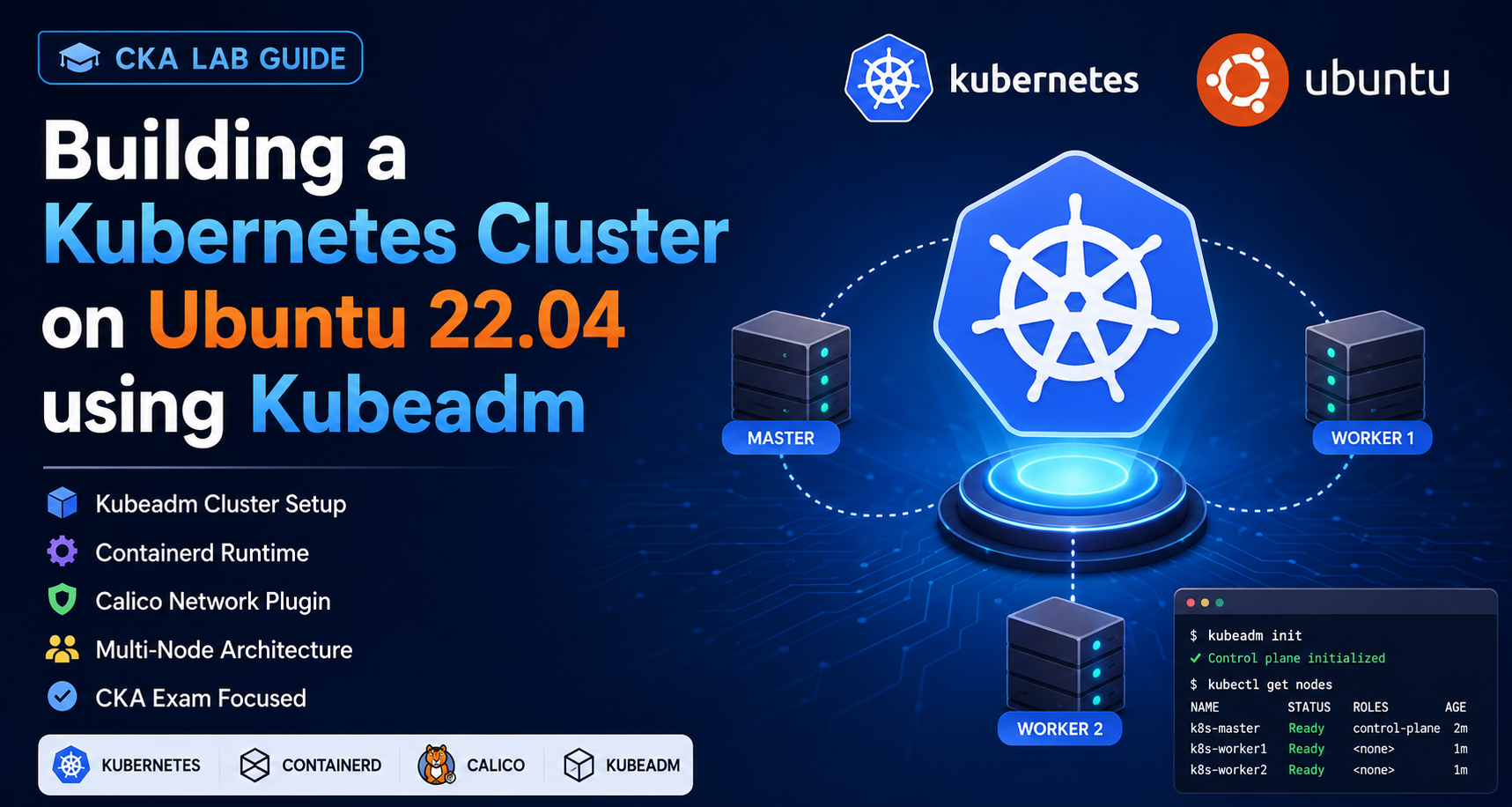
🌐 Introduction Kubernetes is the most popular container orchestration platform used by companies worldwide. As a CKA (Certified Kubernetes Administrator) candidate, one of the most important skills is building a Kubernetes cluster from scratch. In this lab, we will: ✅ Create a Kubernetes Cluster using Kubeadm✅ Install Containerd Runtime✅ Configure Kernel Modules✅ Install Kubernetes Components✅ Deploy Calico Network Plugin✅ Join Worker Nodes✅ Verify Cluster Health ☁️ Step 1: Create a