Meta Description: Learn what Azure AI Vision is, how it works, and how businesses use image analysis and OCR to extract useful information from images using Microsoft Azure.
Suggested URL Slug: azure-ai-vision-image-analysis-ocr-guide
Tags: Azure AI, Azure AI Vision, Microsoft Azure, Computer Vision, OCR, Image Analysis, Artificial Intelligence, Cloud Computing, Azure AI Services, Generative AI
Introduction
Artificial Intelligence is increasingly being used to understand images, documents, videos, and other visual information. Microsoft Azure provides several pre-trained AI services that allow developers to add these capabilities to their applications without building complex machine learning models from scratch.
One of the most useful services is Azure AI Vision.
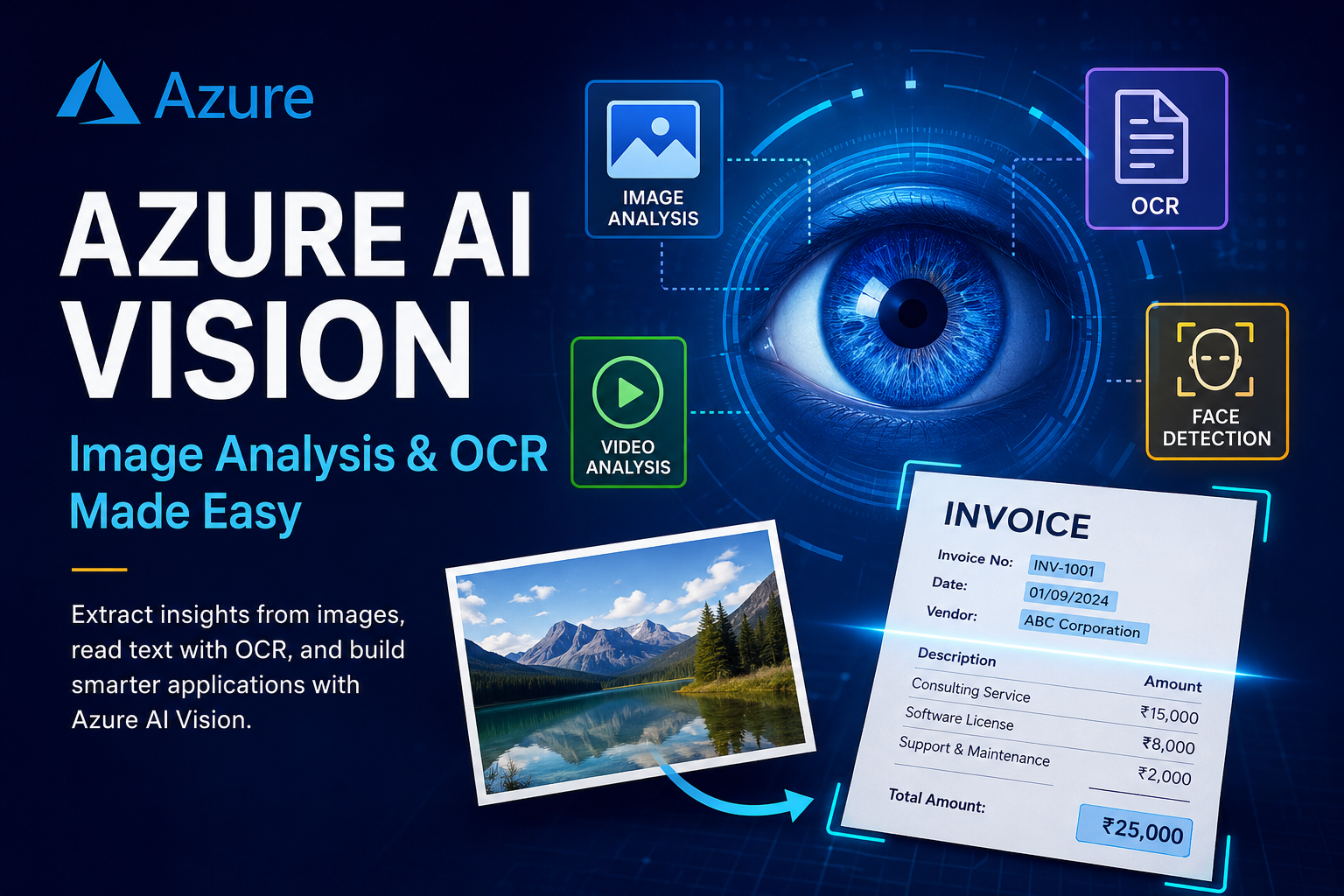
Azure AI Vision is a cloud-based computer vision service that can analyze images and extract useful information from them. It can help applications identify visual content, detect objects and attributes, and read text from images using Optical Character Recognition (OCR).
In this article, we will understand Azure AI Vision, its major capabilities, how OCR works, and some practical real-world use cases.
What is Azure AI Vision?
Azure AI Vision is a pre-trained AI service from Microsoft Azure that enables applications to understand and analyze visual information.
Instead of developing and training a computer vision model from zero, developers can use Azure’s ready-made AI capabilities through APIs.
The basic workflow is:
Image
   ↓
Azure AI Vision
   ↓
AI Analysis
   ↓
Useful Information
   ↓
Your Application
For example, an application can send an image to Azure AI Vision and receive information about objects, visual attributes, or text detected in the image.
Why Use Azure AI Vision?
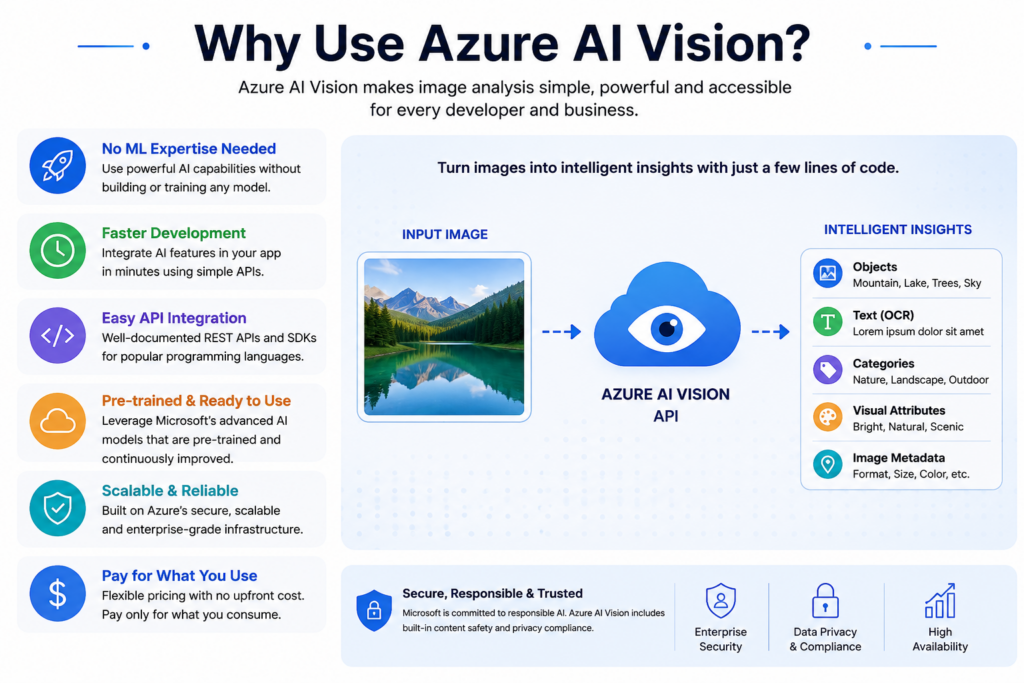
Building a computer vision model from scratch can require:
- Large amounts of training data
- Machine learning knowledge
- Model training
- Model evaluation
- Infrastructure
- Deployment and monitoring
Azure AI Vision simplifies this process.
Developers can use pre-trained AI capabilities through APIs.
Traditional Approach

Images
   ↓
Collect Data
   ↓
Label Data
   ↓
Train ML Model
   ↓
Evaluate
   ↓
Deploy
   ↓
Maintain


Azure AI Vision

Image
   ↓
Azure AI Vision API
   ↓
Analysis
   ↓
Result
This makes computer vision much more accessible to developers and cloud engineers.
Key Capabilities of Azure AI Vision
Azure AI Vision provides several capabilities for working with visual information.
1. Image Analysis
Image analysis allows an application to understand the content of an image.
For example, an image might contain:
Person
Car
Tree
Building
Animal
Product
The AI can analyze the image and return information about what it detects.
Example
Suppose an e-commerce application receives a product image.
Product Image
      ↓
Azure AI Vision
      ↓
Image Analysis
      ↓
Product-related visual information
This information can then be used by the application for search, categorization, or content management.
2. Optical Character Recognition (OCR)
One of the most important capabilities related to image understanding is OCR.
What is OCR?
OCR stands for Optical Character Recognition.
OCR allows a computer to recognize text contained inside an image and convert that visual text into machine-readable text.
For example:
Image

┌─────────────────────────┐
│ Nutrition Facts         │
│ Amount Per Serving      │
│ Total Fat 5g            │
│ Sodium 100mg            │
│ Protein 10g             │
└─────────────────────────┘

             ↓

Extracted Text

Nutrition Facts
Amount Per Serving
Total Fat 5g
Sodium 100mg
Protein 10g
This is extremely useful because software can then search, store, process, and analyze the extracted text.
How OCR Works
The basic process looks like this:
📷 Image
   ↓
Azure AI Vision
   ↓
Text Detection
   ↓
OCR Processing
   ↓
Extracted Text
   ↓
Application / Database
For example, imagine a company receives a scanned document.
The application sends the image to an Azure AI service.
The service identifies the text and returns the recognized content to the application.
Real-World Use Case: Invoice Processing
One of the most common applications of AI document and image processing is invoice automation.
Imagine a company receives hundreds or thousands of invoices every month.
An invoice may contain:
Invoice Number: INV-1001
Date: 01/09/2026
Vendor: ABC Ltd.
Total Amount: ₹25,000
Instead of manually entering this information, an automated application can process the document.
Invoice
   ↓
Azure AI
   ↓
OCR / Document Processing
   ↓
Extract Information
   ↓
Invoice Number
Date
Vendor
Amount
   ↓
Database / ERP
For highly structured invoices and forms, Azure AI Document Intelligence is generally more appropriate than basic OCR because it is designed to extract fields and understand document structure.
Real-World Use Case: Manufacturing
Manufacturing companies can use computer vision to inspect products.
For example:
Production Line
      ↓
Camera
      ↓
Image
      ↓
Azure AI Vision
      ↓
Analysis
      ↓
Quality Check
An AI-powered system can help identify visual differences or defects, depending on the specific model and solution being used.
This can reduce manual inspection and improve automation.
Real-World Use Case: Retail and E-Commerce
E-commerce companies manage large numbers of product images.
Computer vision can help applications analyze images and organize visual information.
For example:
Product Image
      ↓
Azure AI Vision
      ↓
Image Analysis
      ↓
Visual Information
      ↓
Product Catalog
This can support applications such as visual search, image categorization, and automated content management.
Real-World Use Case: Document Processing
Organizations work with many different types of documents:
- Invoices
- Receipts
- Forms
- Applications
- Reports
- Scanned documents
AI services can help convert unstructured visual information into useful digital data.
Scanned Document
       ↓
AI Processing
       ↓
Text / Information
       ↓
Database
       ↓
Business Application
This is particularly useful for organizations that still receive large quantities of paper or scanned documents.
Real-World Use Case: Accessibility
Computer vision can also help make applications more accessible.
For example, an application can analyze an image and provide useful descriptions or information to users who may have difficulty viewing the image.
This can be combined with other Azure AI services, such as speech technologies, to create more accessible applications.
Azure AI Vision and APIs
One important advantage of Azure AI services is that developers can access their capabilities through APIs.
The basic architecture is:
Your Application
       │
       │ API Request
       ▼
Azure AI Vision
       │
       ▼
AI Processing
       │
       │ Response
       ▼
Your Application
Three concepts are especially important:
API Key 🔑
An API key can be used as a credential for authenticating requests, depending on the Azure service and authentication method.
API Key = Access credential
Endpoint 🌐
The endpoint is the network address used to access the Azure service.
Endpoint = Service address
Billing 💰
Azure records usage and applies the applicable pricing for the resources and capabilities you use.
Billing = Cost associated with Azure usage
Azure AI Vision vs Custom Machine Learning
There are two different approaches to computer vision.
Pre-Trained AI
Your Image
    ↓
Azure AI Vision
    ↓
Result
You use Microsoft’s existing AI capabilities.
Advantages
- Faster development
- Less machine learning expertise required
- Easy API integration
- Suitable for many common vision tasks
Custom Machine Learning
Your Dataset
     ↓
Data Preparation
     ↓
Model Training
     ↓
Model Evaluation
     ↓
Deployment
This approach is useful when a business has a very specific problem that cannot be adequately solved by existing pre-trained capabilities.
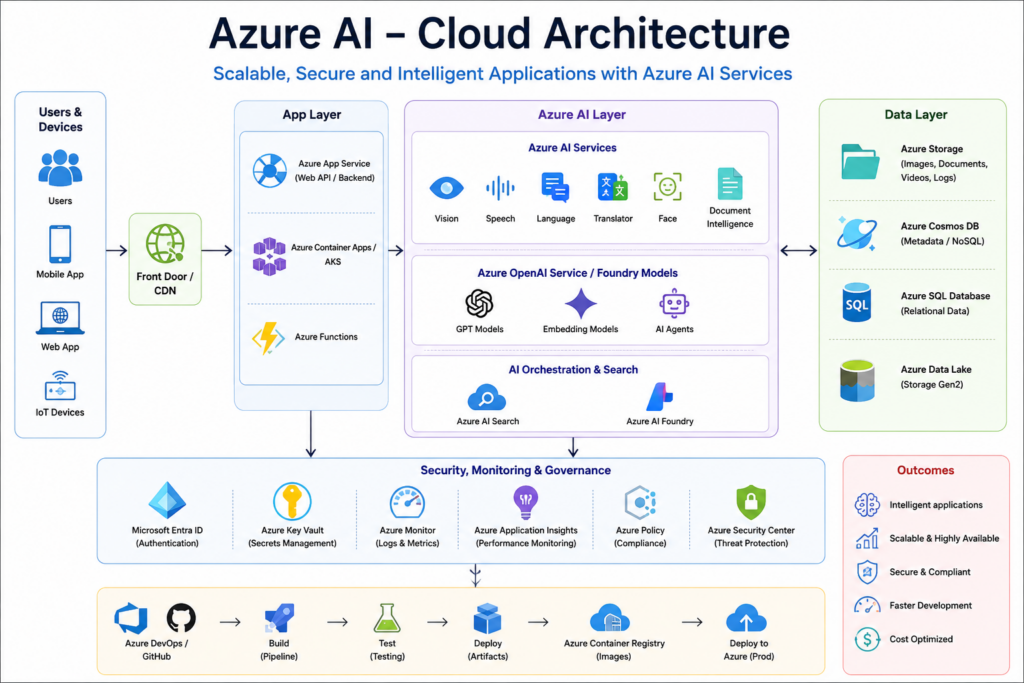
Azure AI Vision in a Cloud Architecture
A real application might look like this:
                  User
                   │
                   ▼
             Web / Mobile App
                   │
                   ▼
              Backend API
                   │
          ┌────────┴────────┐
          ▼                 ▼
   Azure AI Vision    Document Intelligence
          │                 │
          └────────┬────────┘
                   ▼
             Azure Storage
                   │
                   ▼
                Database
For a production application, developers can also integrate security, monitoring, identity, networking, CI/CD, containers, and other Azure services.
Azure AI Vision and Azure AI Foundry
Azure AI Vision is one part of the broader Azure AI ecosystem.
Azure AI Foundry provides a broader environment for developing and managing modern AI applications, including generative AI and AI agents.
A simplified relationship is:
Azure AI Foundry
       │
       ├── AI Models
       ├── AI Agents
       ├── AI Applications
       ├── Evaluation
       └── AI Services
              │
              ├── Vision
              ├── Speech
              ├── Language
              └── Document Intelligence
So, Azure AI Vision is a specific computer vision capability, while Azure AI Foundry is a broader AI development platform.
Benefits of Azure AI Vision
🚀 Faster Development
Developers can use pre-trained capabilities instead of building everything from scratch.
🧠 No Need to Train Every Model
Common computer vision tasks can be handled using existing AI capabilities.
🌐 API-Based
Applications can integrate AI capabilities through APIs.
☁️ Cloud-Based
The service can be integrated into cloud applications and architectures.
📄 Text Extraction
OCR enables applications to extract text from images and documents.
🏢 Enterprise Applications
It can be integrated with business applications, databases, storage, and other cloud services.
Conclusion
Azure AI Vision makes computer vision easier for developers by providing pre-trained AI capabilities through cloud services and APIs.
Instead of building a computer vision model from zero, developers can send images to Azure AI services and receive useful information.
The most important concepts to remember are:
Image
  ↓
Azure AI Vision
  ↓
Image Analysis / OCR
  ↓
Useful Information
  ↓
Business Application
For beginners learning Azure AI, a good learning path is:
Azure AI Services → Vision → OCR → Document Intelligence → Language → Speech → Generative AI → Azure AI Foundry
This progression gives you a strong foundation for building practical AI solutions on Microsoft Azure.