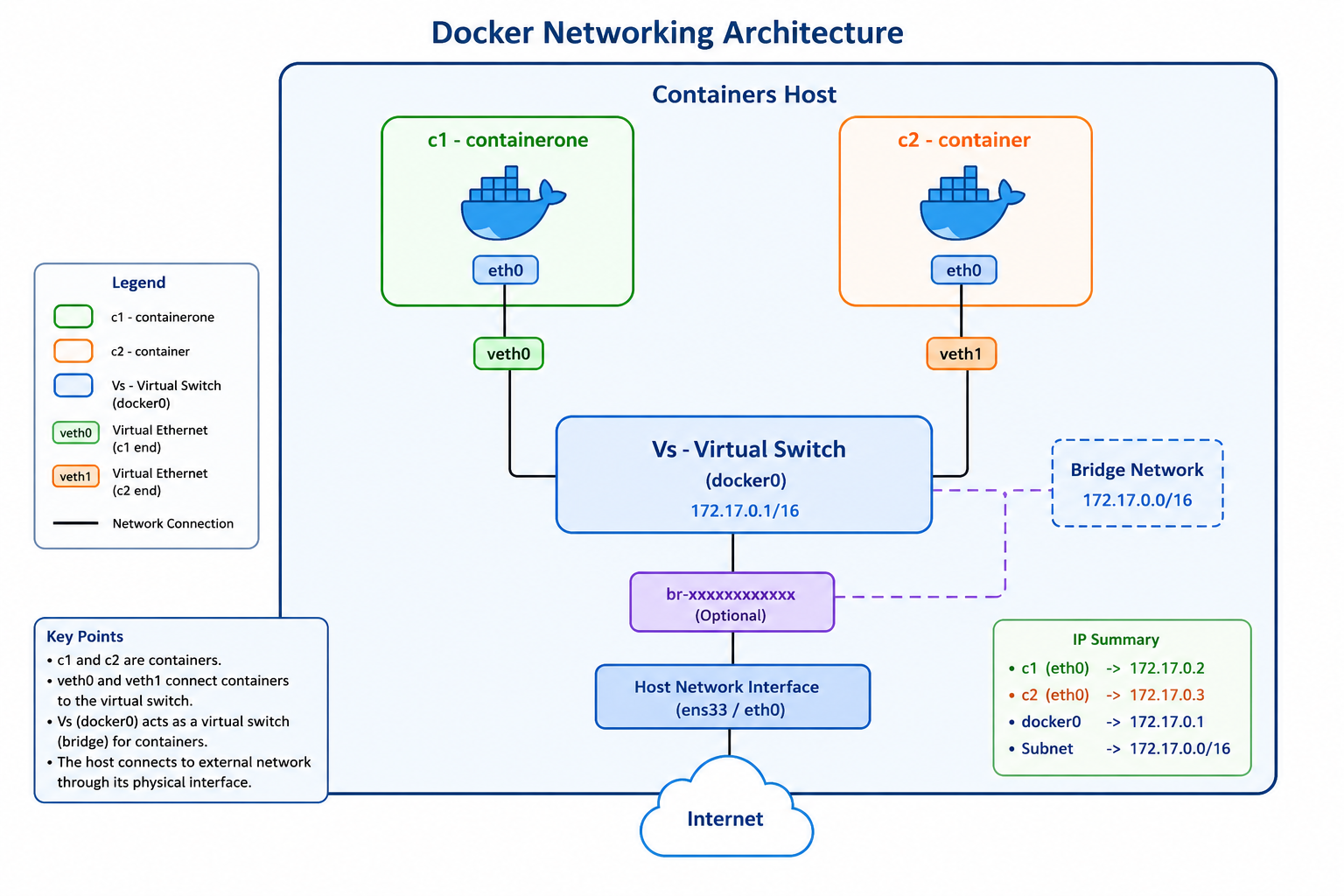
Docker networking is one of the most important concepts in container technology.When multiple containers run on the same host machine, they need a way to communicate with each other and with the internet. Docker solves this problem using virtual networking components such as: In this blog, we will understand how Docker networking works internally using a simple step-by-step explanation. Docker Networking Architecture In our example, we have: The communication flow
Year: 2026
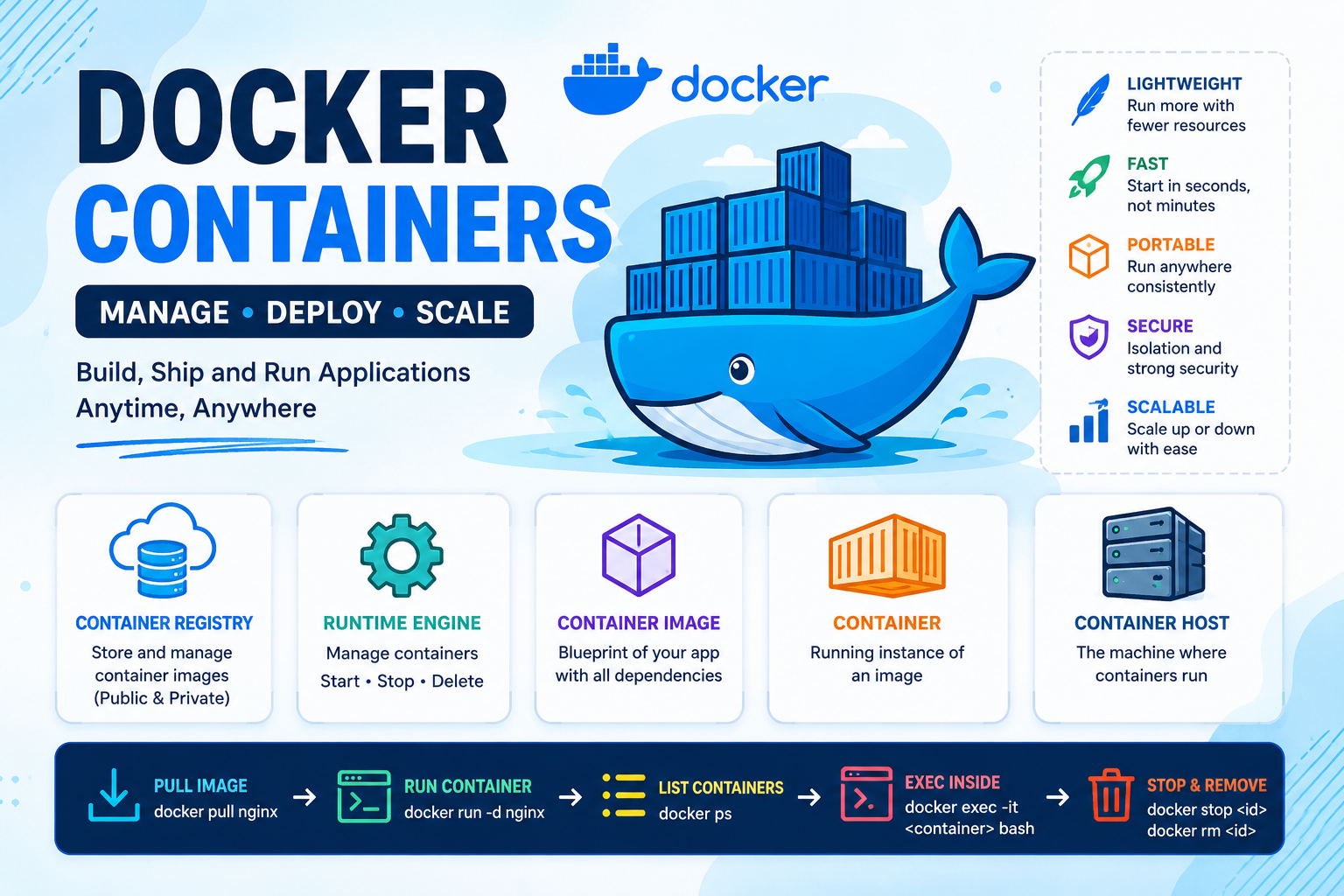
A Beginner-Friendly Guide to Docker Containers on AWS EC2 In today’s cloud-native world, Docker Containers have completely changed the way applications are developed, deployed, and managed. Containers are lightweight, fast, portable, and incredibly efficient compared to traditional virtual machines. In this blog, we will learn: ✨ What Docker is✨ Important Container Terminologies✨ How to Install Docker on AWS EC2✨ How to Run and Manage Containers✨ How to Launch an NGINX
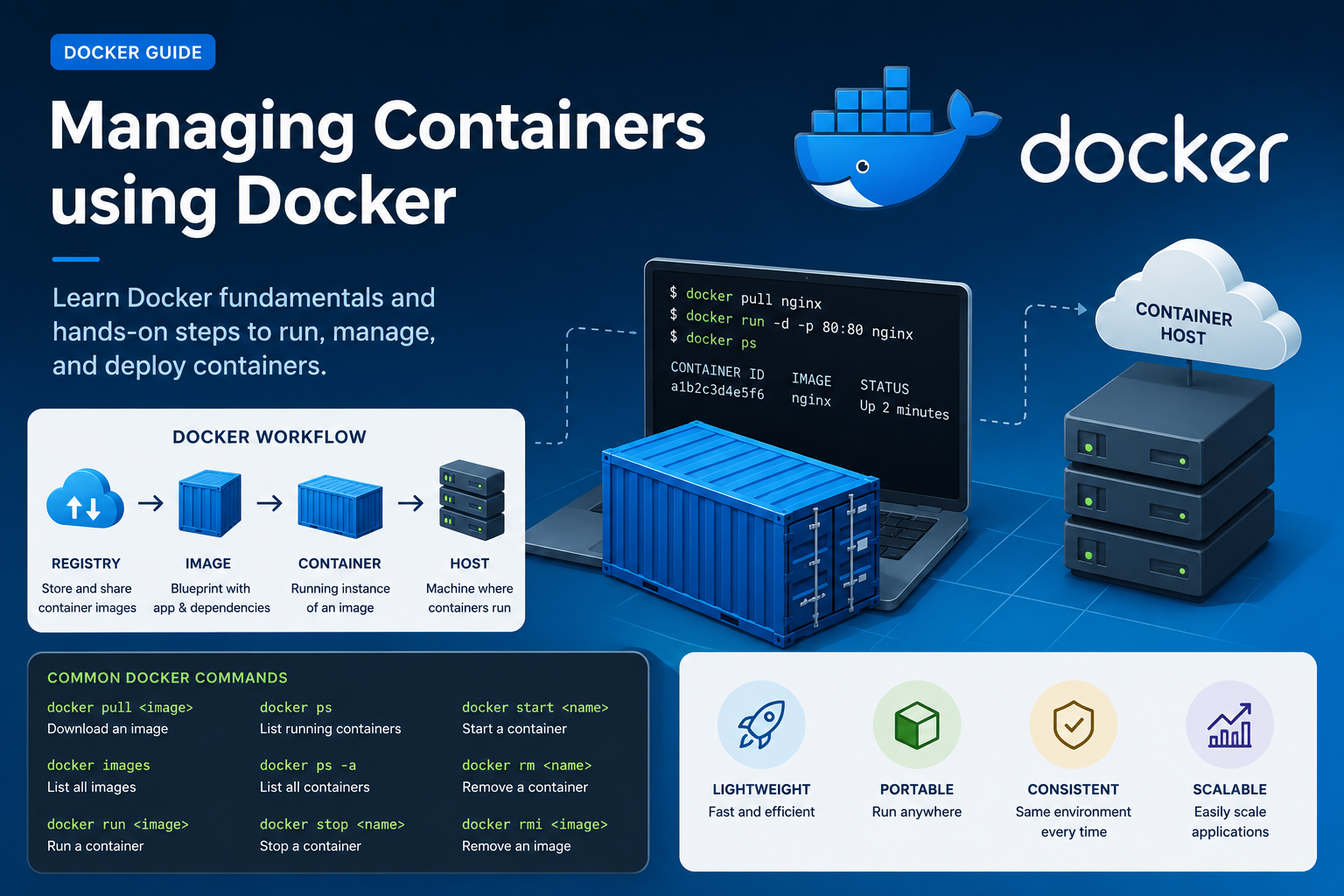
Docker has transformed the way applications are developed, shipped, and deployed. Instead of installing software directly on servers, developers now use lightweight containers that package applications along with all their dependencies. This makes applications portable, fast, and easy to manage. In this blog, we will learn the fundamentals of Docker, important container terminologies, and a hands-on lab to launch and manage containers using Docker on an AWS EC2 instance. What
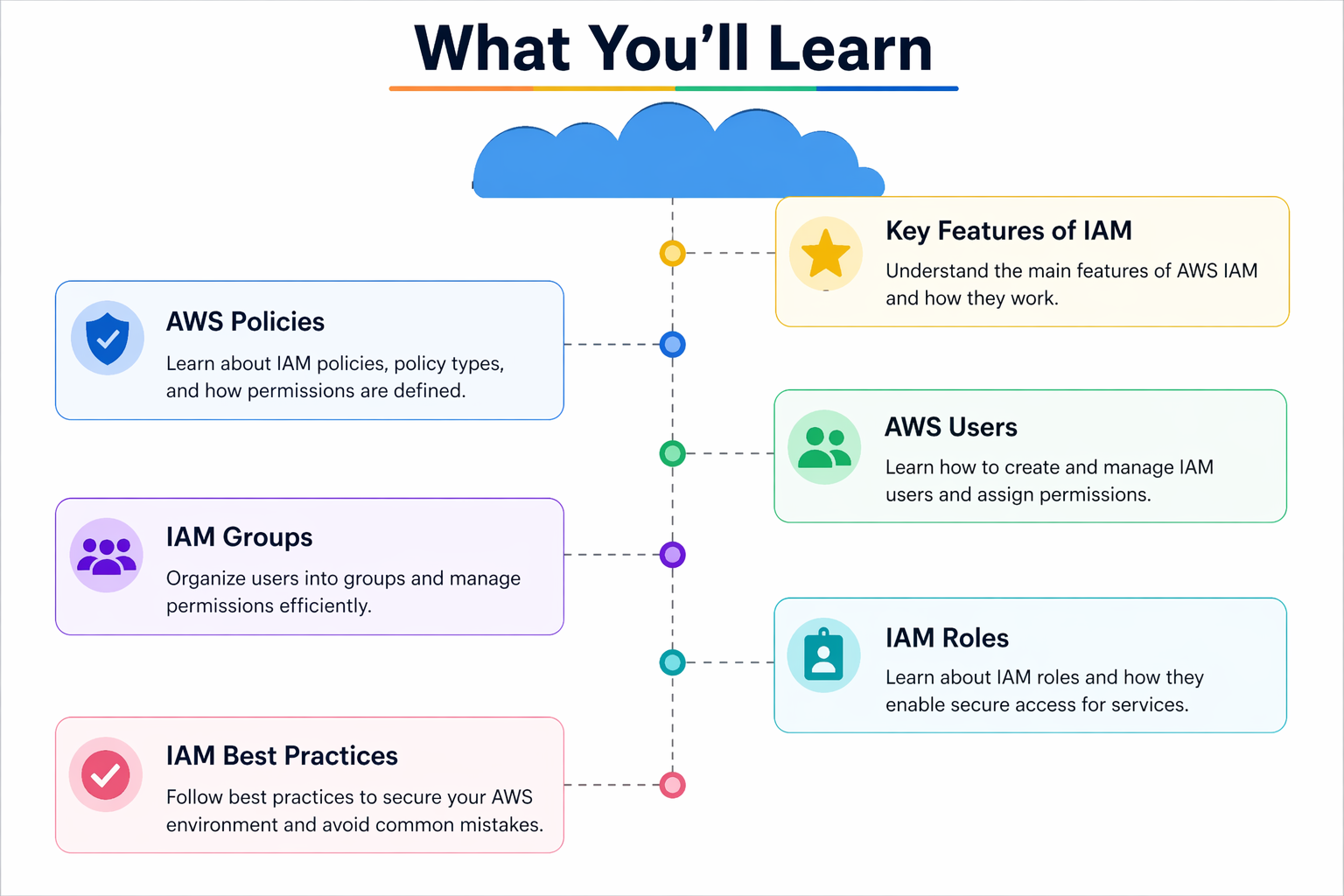
☁️ What You’ll Learn (AWS IAM Overview) The image shows the main parts of AWS IAM (Identity and Access Management). 👉 IAM is used to control who can access AWS and what they can do. 🔹 1. AWS Policies 👉 Policies are rules (permissions) ✅ Think: Policy = Permission rules 🔹 2. AWS Users 👉 Users are people or applications ✅ Think: User = Individual account 🔹 3. IAM Groups
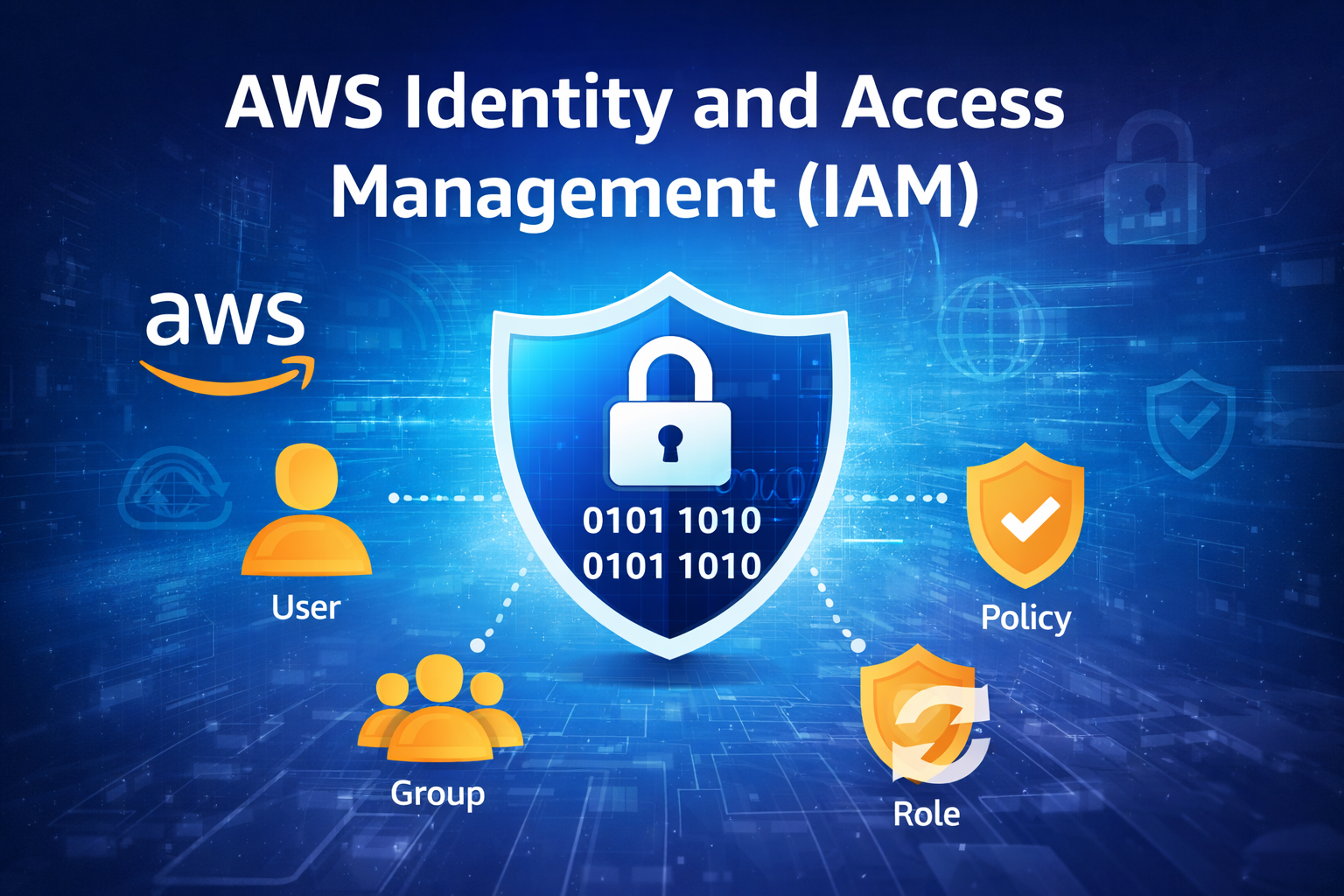
IAM is a service provided by Amazon Web Services that helps you securely control access to your AWS resources. 📖 Simple Definition 👉 IAM = Identity + Access Control System 🔑 Core Components of IAM 👤 Users 👥 Groups 📜 Policies 🔄 Roles 🔐 How IAM Works 🧠 Real Example 👉 IAM controls these permissions ⚙️ One-Line Summary 👉 IAM = Control over who can access AWS and what they
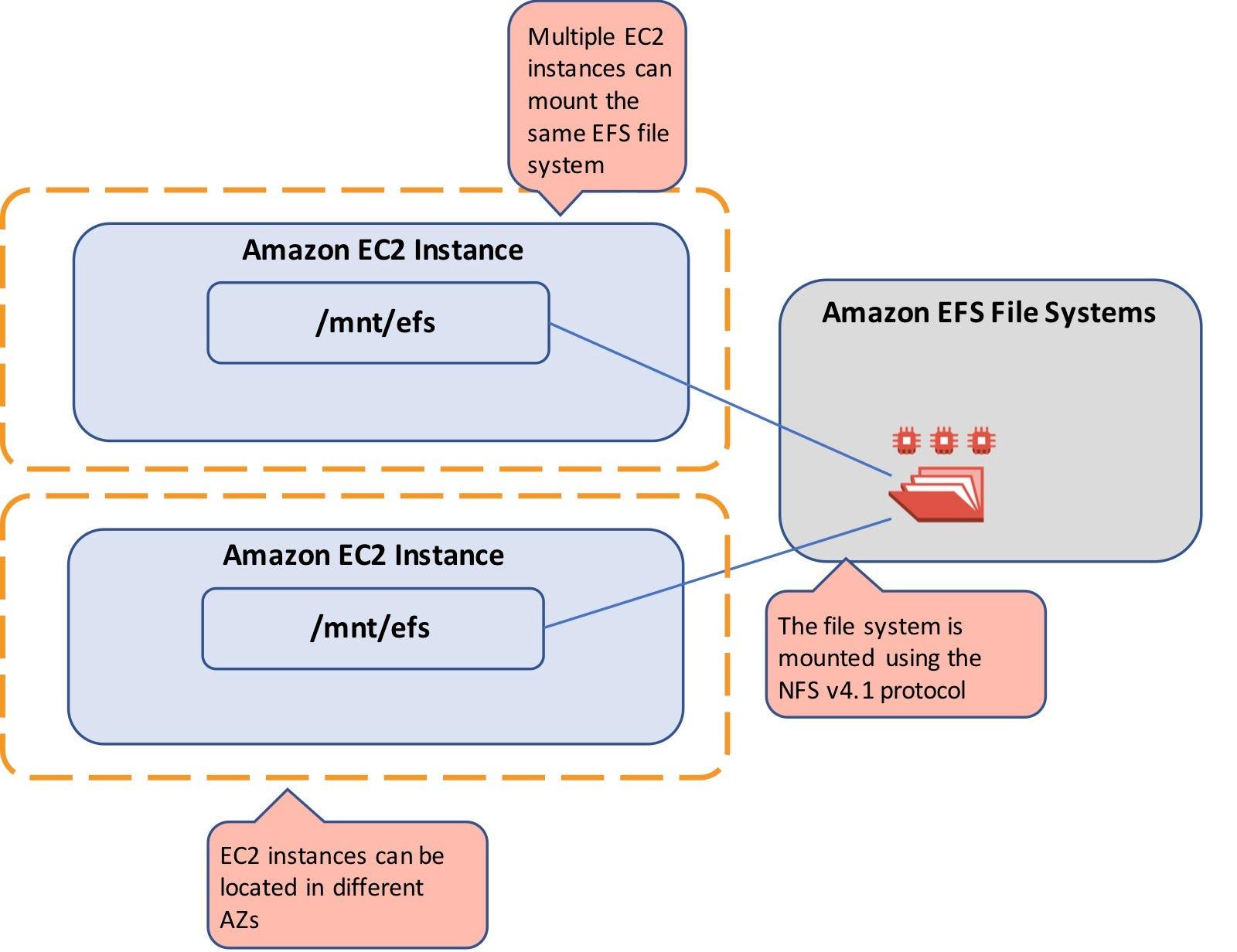
📌 Simple Definition 👉 Amazon EFS (Elastic File System) is a managed file storage service in AWS. 👉 It is: 🔹 What Type of Storage? 👉 EFS is a: ✅ File Storage (Not Block / Not Object) Storage Type Example Use Case File Storage EFS ✅ Shared files, web content Block Storage EBS Single server disk Object Storage S3 Images, videos, backups 🔹 Key Features of EFS 1️⃣ Shared Storage