Introduction
Artificial Intelligence (AI) is transforming the way modern applications work. From recognizing images and understanding human speech to translating languages and generating content, AI is helping developers build smarter applications.
Microsoft Azure provides a powerful collection of cloud-based AI services that make it easier to integrate Artificial Intelligence into applications without developing machine learning models from scratch.
One of the most useful features of Microsoft Azure is Pre-Trained AI Models. These models are already developed and trained, allowing developers to use AI capabilities through simple APIs.
In this article, we will explore Azure AI Services, their key features, and how developers can use pre-trained models in real-world applications.
1. What Are Pre-Trained Models?
Pre-trained models are Artificial Intelligence models that have already been trained using large amounts of data.
Instead of building and training an AI model from the beginning, developers can directly use these models to perform specific tasks.
For example:
- Recognize objects in images.
- Detect and analyze human faces.
- Convert speech into text.
- Translate text between different languages.
- Extract information from documents.
- Generate text and other content.
The biggest advantage: Developers do not need extensive machine learning expertise to use these ready-made AI capabilities.
2. What Are Azure AI Services?
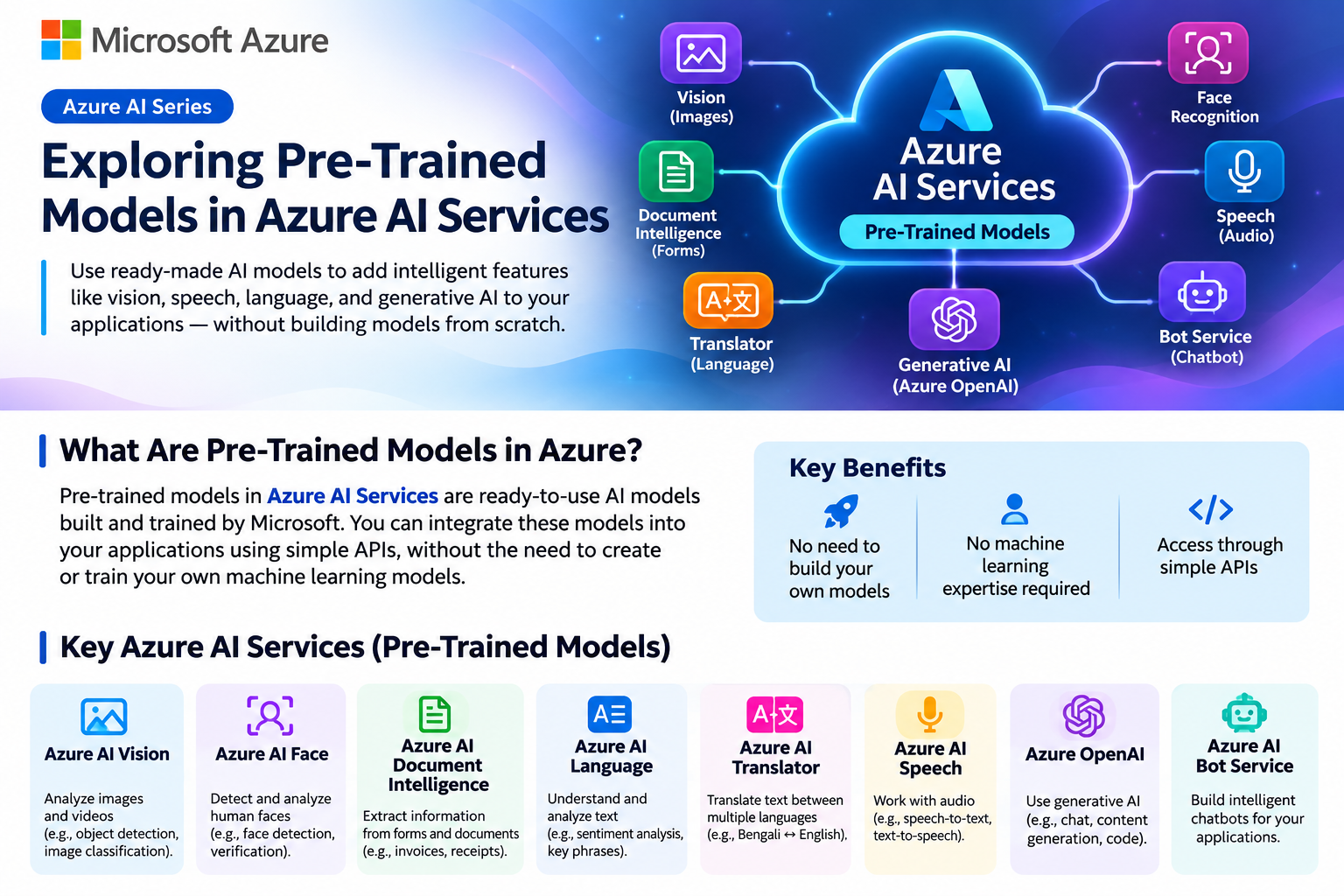
Azure AI Services are a collection of cloud-based APIs and managed tools provided by Microsoft Azure.
They allow developers to integrate intelligent features into their applications using APIs.
Key Benefits
- No need to build custom AI models.
- No requirement for advanced machine learning expertise.
- Easy integration through APIs.
- Cloud-based infrastructure.
- Support for different types of data, including images, text, audio, and documents.
3. Key Azure AI Services
Microsoft Azure provides several AI services for different types of workloads.
A. Azure AI Vision
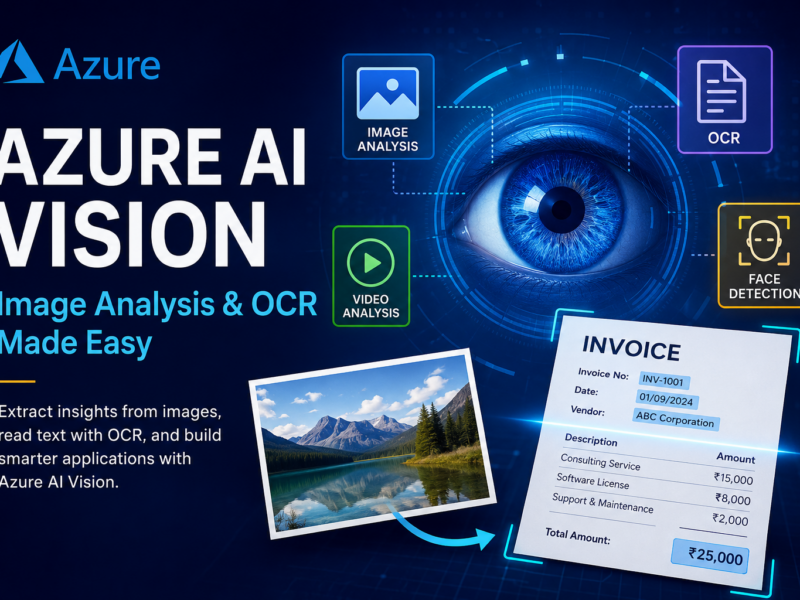
Azure AI Vision helps applications understand and analyze images and videos.
Common applications:
- Image classification.
- Object detection.
- Image analysis.
- Optical Character Recognition (OCR).
Example: A gardening application can use image analysis to identify objects and visual features in flower photographs.
B. Azure AI Face
Azure AI Face provides capabilities for detecting and analyzing human faces.
Common applications:
- Face detection.
- Face verification.
- Face analysis.
C. Azure AI Document Intelligence
Azure AI Document Intelligence extracts useful information from documents and forms.
Common applications:
- Invoice processing.
- Receipt extraction.
- Document analysis.
- Form recognition.
Example: An application can automatically extract invoice numbers, customer names, dates, and total amounts from uploaded invoices.
D. Azure AI Language
Azure AI Language helps applications understand and analyze text.
Common applications:
- Sentiment analysis.
- Key phrase extraction.
- Named Entity Recognition.
- Text classification.
Example: A customer feedback application can analyze reviews and identify whether customer feedback is positive, negative, or neutral.
E. Azure AI Translator
Azure AI Translator translates text between different languages.
For example:
Input: “আমি বাংলায় কথা বলি।”
Output: “I speak Bengali.”
It is useful for multilingual websites, applications, and international communication.
F. Azure AI Speech
Azure AI Speech provides speech-related capabilities.
Important features include:
- Speech-to-Text.
- Text-to-Speech.
- Speech Translation.
- Speech Recognition.
Example: A voice-enabled application can convert a user’s spoken words into written text.
G. Azure OpenAI
Azure OpenAI provides access to powerful generative AI models through Microsoft Azure.
Developers can use it to build:
- AI Chatbots.
- Content generation applications.
- Question-answering systems.
- Text summarization tools.
- AI-powered assistants.
H. Azure AI Bot Service
Azure AI Bot Service helps developers build conversational bots that can interact with users.
For example, an online shopping website can use a chatbot to answer customer questions about products, orders, and delivery.
I. Azure AI Content Safety
Azure AI Content Safety helps detect potentially harmful content in user-generated and AI-generated text or images.
It can help identify:
- Hate speech.
- Violence.
- Sexual content.
- Self-harm content.
Conclusion
Microsoft Azure AI Services make Artificial Intelligence more accessible to developers. With pre-trained models, developers can integrate powerful AI capabilities into applications without building machine learning models from scratch.
Whether you want to analyze images, recognize speech, translate languages, process documents, or develop intelligent chatbots, Azure provides services to support these requirements.
Understanding these services is an important foundation for learning Microsoft Azure AI and preparing for the AI-900 Azure AI Fundamentals certification.