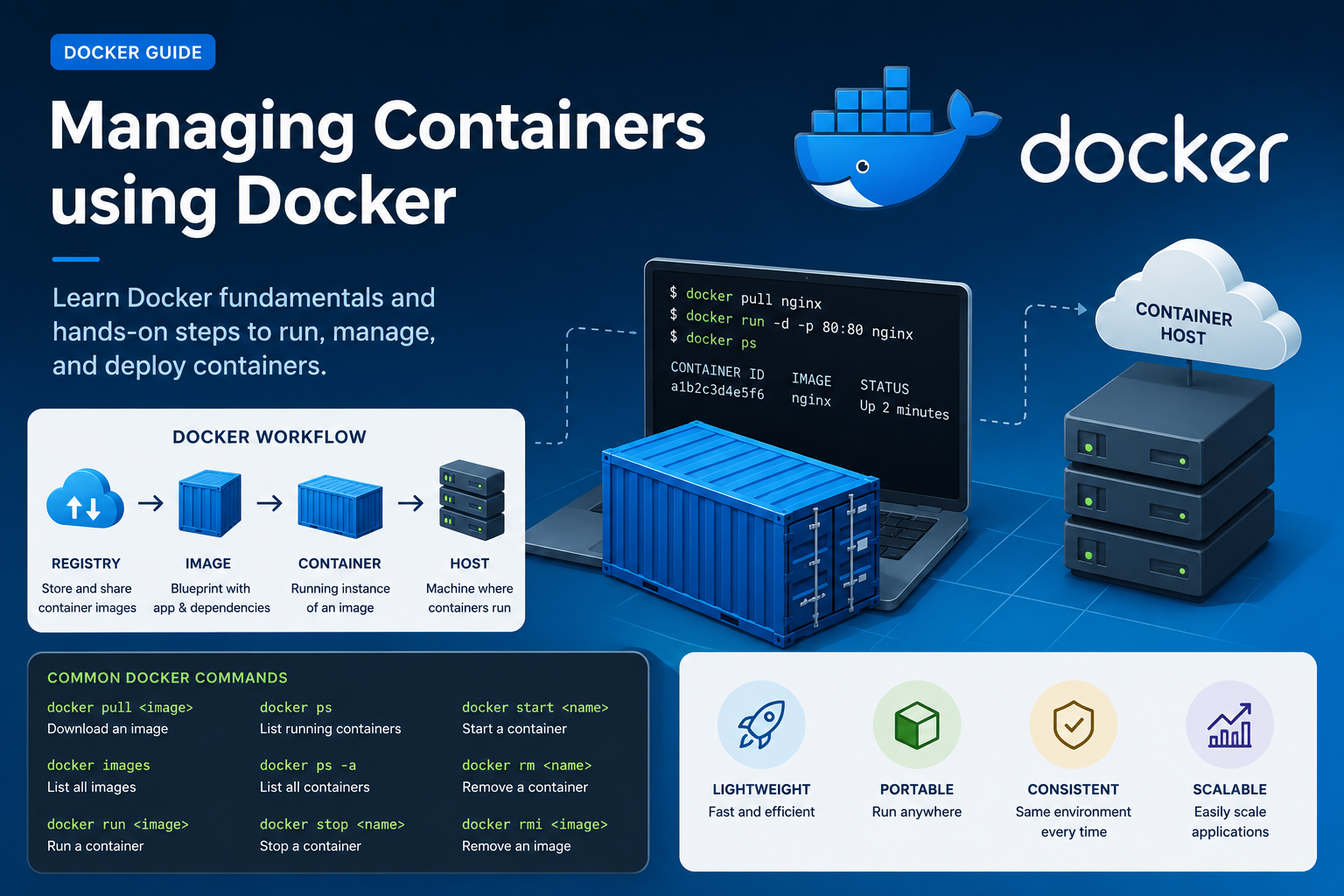
Docker has transformed the way applications are developed, shipped, and deployed. Instead of installing software directly on servers, developers now use lightweight containers that package applications along with all their dependencies. This makes applications portable, fast, and easy to manage.
In this blog, we will learn the fundamentals of Docker, important container terminologies, and a hands-on lab to launch and manage containers using Docker on an AWS EC2 instance.
What is Docker?
Docker is an open-source containerization platform that allows developers to package applications into containers. These containers can run consistently across different environments such as laptops, servers, cloud platforms, and data centers.
Docker helps in:
- Faster application deployment
- Better resource utilization
- Easy scalability
- Environment consistency
- Simplified DevOps workflows
Important Container Terminologies
Before working with Docker, it is important to understand some core container concepts.
1. Container Registry
A Container Registry is a repository where container images are stored and shared.
Container registries can be:
- Public
- Private
Examples of Container Registries
2. Container Runtime Engine
A Container Runtime Engine is responsible for managing containers.
It performs operations such as:
- Starting containers
- Stopping containers
- Deleting containers
Example
Docker Engine
3. Container Image
A Container Image acts as a blueprint for a container.
It includes:
- Application code
- Shared libraries
- Configuration files
- Binary files
- Dependencies
Images are read-only templates used to create containers.
4. Container
A Container is a running instance of a container image.
Containers are lightweight because:
- They do not contain a full operating system
- They share the host machine’s kernel
This makes containers much faster than traditional virtual machines.
5. Container Host
A Container Host is the server or machine where containers run.
Examples:
- Physical Server
- Virtual Machine
- AWS EC2 Instance