What is Kubernetes?Explain in diagram.

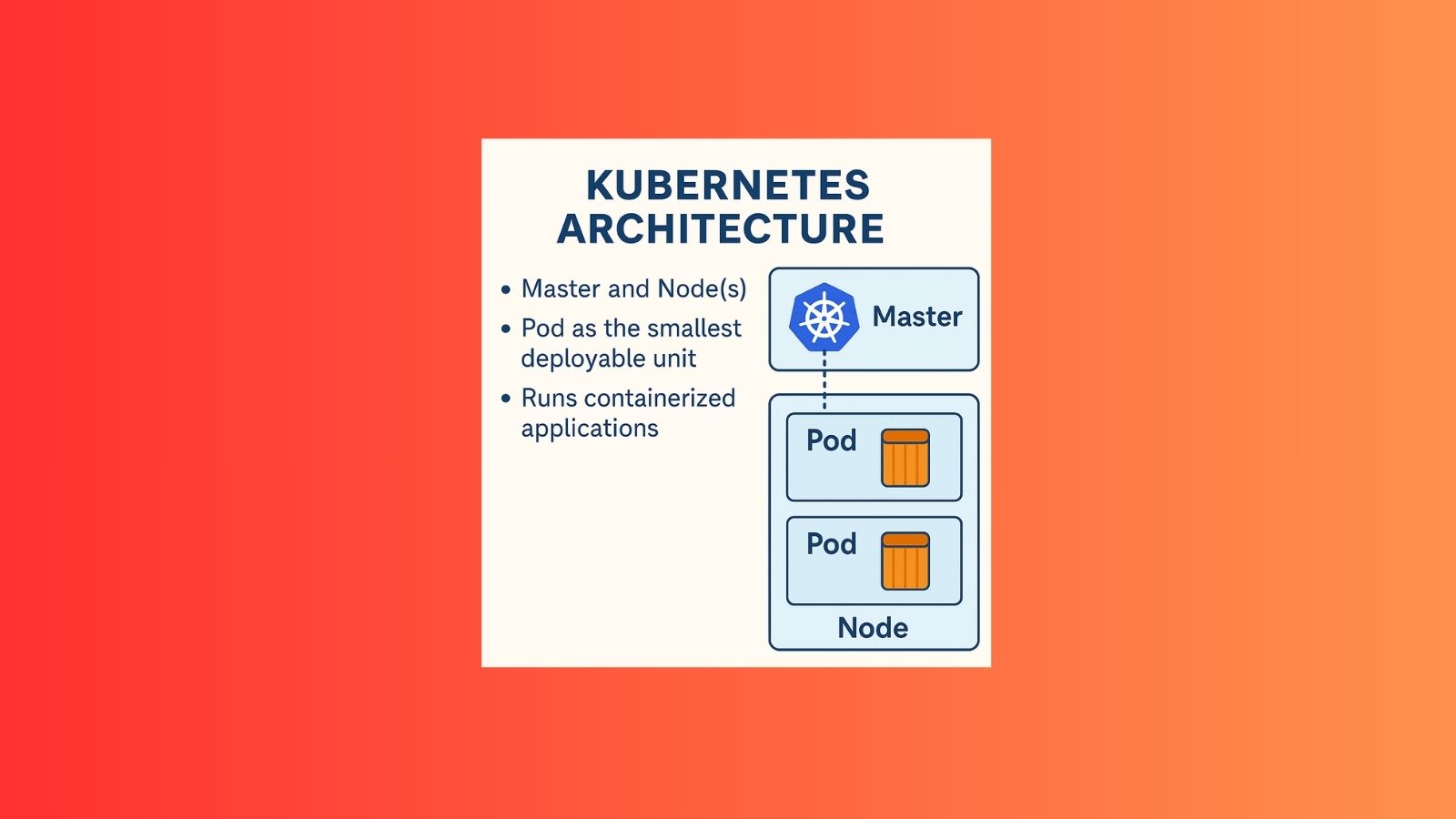
Kubernetes (often abbreviated as K8s) is an open-source container orchestration system for automating the deployment, scaling, and management of containerized applications.
🔹 Key Points about Kubernetes:
- Container Orchestration – It manages containers (like Docker) across multiple machines.
- Scaling – Automatically increases or decreases the number of running containers based on demand.
- Load Balancing – Distributes network traffic across multiple containers to ensure stability.
- Self-Healing – Restarts failed containers and replaces unhealthy ones automatically.
- Rolling Updates – Allows seamless application updates with zero downtime.
- Storage Management – Provides persistent storage solutions for containers.
🔹 Why is Kubernetes important?
- It helps run applications reliably across on-premises, cloud, or hybrid environments.
- Widely used in DevOps and cloud-native applications.
- Supported by all major cloud providers: AWS, Azure, Google Cloud, etc.
✅ In simple words:
Kubernetes is like a traffic controller and caretaker for containers. It makes sure your applications always run smoothly, scale when needed, and recover automatically if something goes wrong.
🔹 Main Components of Kubernetes Architecture
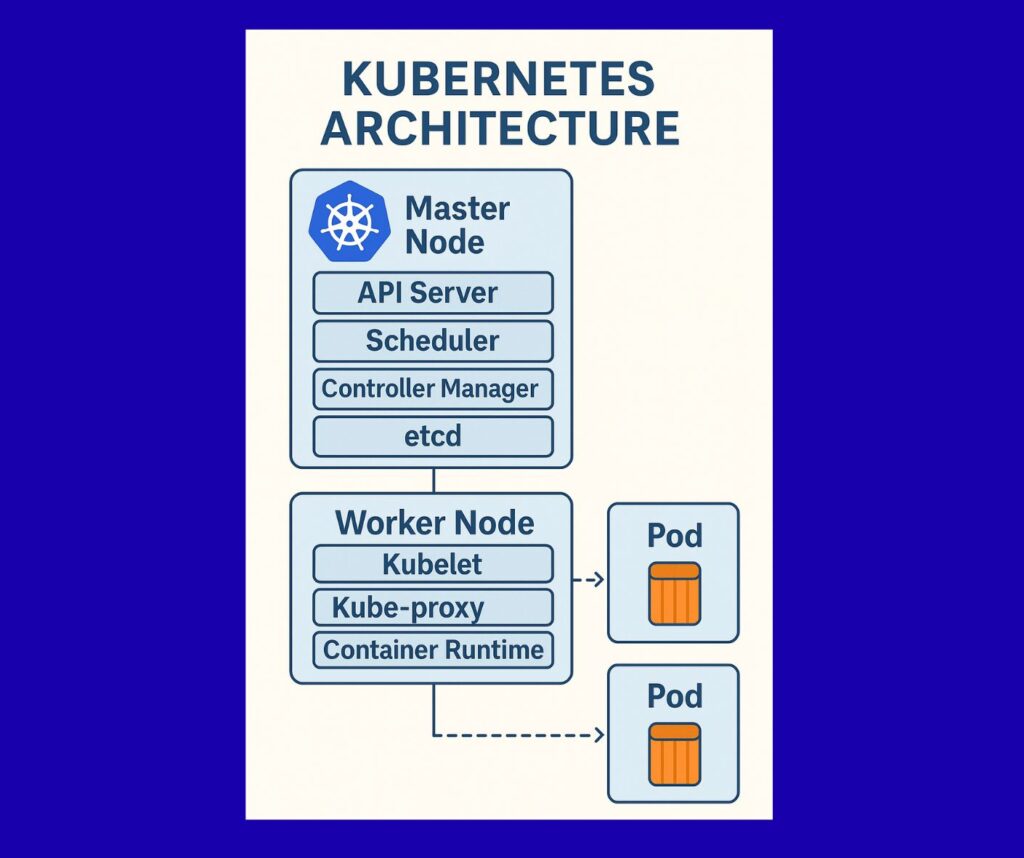
1. Master Node (Control Plane)
This is the brain of Kubernetes. It manages the cluster and makes all decisions about what runs where.
It contains:
- API Server → Entry point for all commands (kubectl communicates with this).
- Scheduler → Decides which node will run a new pod.
- Controller Manager → Ensures desired state (e.g., if 3 pods are required but 1 is down, it creates 2 more).
- etcd → A key-value database storing cluster information (like cluster state, configs).
2. Worker Nodes
These are the machines (VMs or physical servers) where your applications actually run.
Each worker node has:
- Kubelet → An agent that talks to the master and runs containers.
- Kube-proxy → Manages networking, routes traffic to correct pods.
- Container Runtime → Software to run containers (e.g., Docker, containerd).
3. Pods
- The smallest deployable unit in Kubernetes.
- A pod can contain one or more containers that share the same network and storage.
- Example: A web server container + a sidecar logging container can run inside the same pod.
4. Services
- Provides stable networking for pods.
- Since pods can die and restart, their IPs change. Services ensure applications can talk to each other reliably.
5. Namespaces
- Logical partitions inside a cluster.
- Example: Dev team, QA team, and Prod team can each have their own namespace.
🔹 Example Scenario
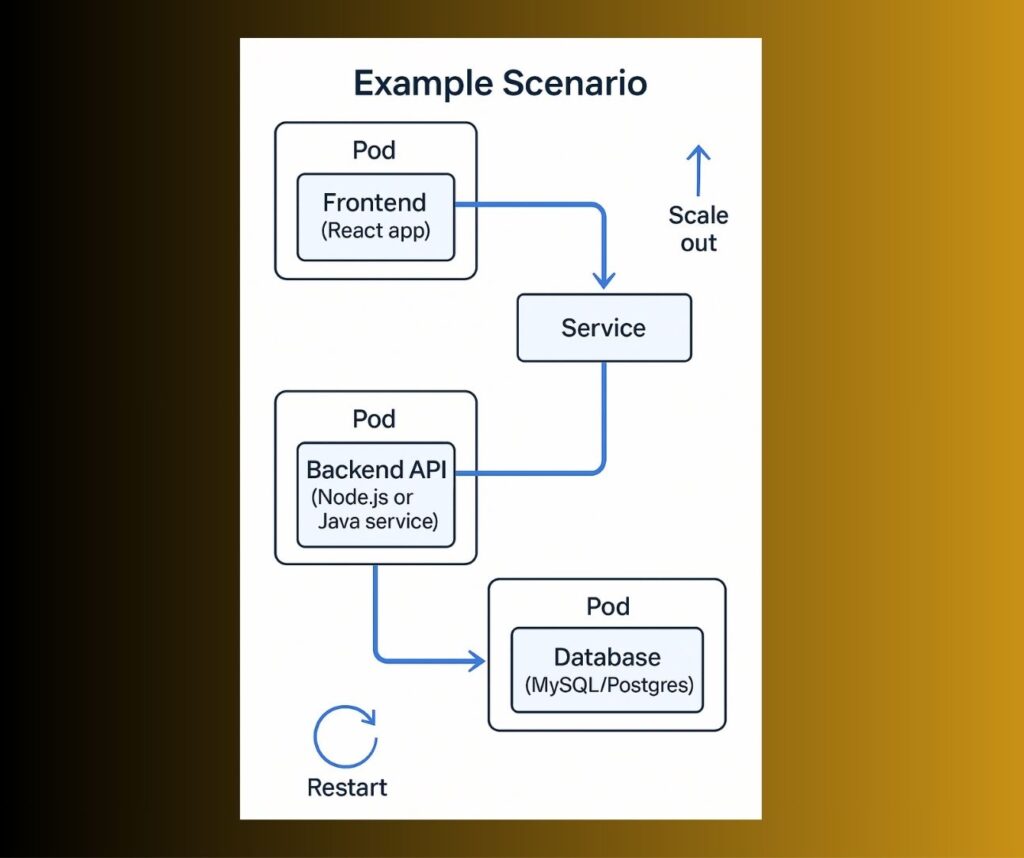
Imagine you’re running an e-commerce app with three components:
- Frontend (React app)
- Backend API (Node.js or Java service)
- Database (MySQL/Postgres)
- Kubernetes will deploy each component into pods on different nodes.
- The Service ensures the frontend can talk to backend, and backend to database.
- If traffic increases, Kubernetes scales up pods automatically.
- If a pod crashes, Kubernetes restarts it automatically.
✅ In short:
- Master Node = Manager (decides what to do).
- Worker Nodes = Workers (actually run the containers).
- Pods = Containers packed together.
- Services = Networking between pods.
Total Page Visits: 2906 - Today Page Visits: 18